Short answer: Word versions comparison works two ways. Two drafts? Review, Compare, Compare. Pick the original, then the revised file. Word builds a third document with tracked changes. Releases? We'd compare features. Co-authoring arrived in 2021, Document Recovery and ODF 1.4 in 2024, and Microsoft 365 keeps adding more.
A Word versions comparison can mean two things: comparing two versions of the same document with Word’s built-in Compare tool, or comparing the releases of Word itself, from Word 2016 to Word 2024 and Microsoft 365. We cover both. For documents, the tool sits on the Review tab and builds a third file.
| What you want to compare | Tool in Word | Where |
|---|---|---|
| Two saved copies of one document | Compare, legal blackline | Review, Compare, Compare |
| Edits from several reviewers | Combine | Review, Compare, Combine |
| Older saves of a cloud file | Version History | File name in the title bar, Version history |
| Two files by eye | View Side by Side | View, Window group |
| Word releases | Feature tables below | This page, from Word 2016 on |
How to compare two versions of a Word document
Any desktop Word for Windows from 2016 onward has it, Microsoft 365 included. Both files need to be saved somewhere you can browse to.
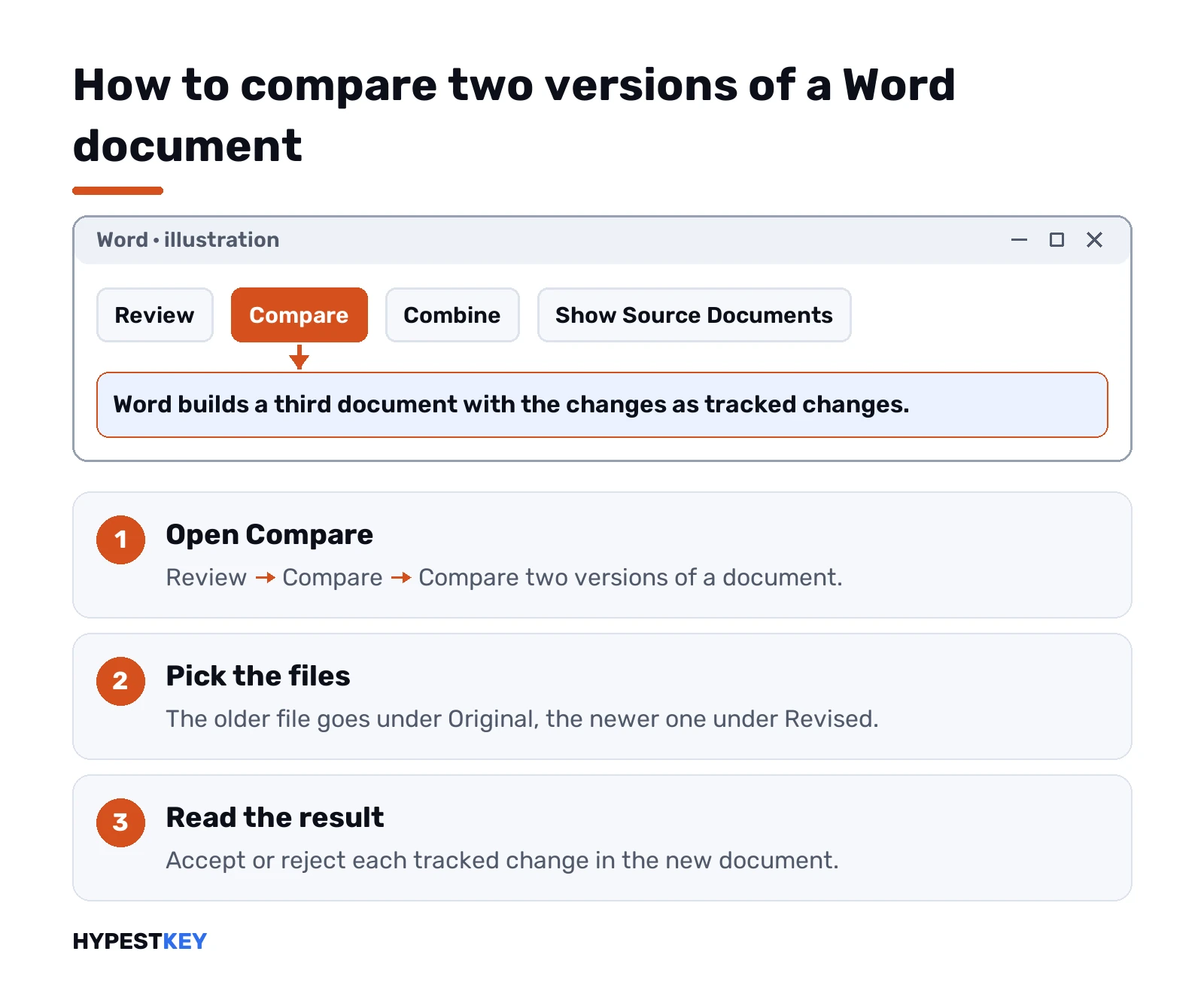
- Open Word. Review tab, Compare group, Compare.
- Click Compare two versions of a document, the legal blackline option.
- Under Original document, pick the older file.
- Under Revised document, pick the newer one.
- Click More if you want to change what gets compared. Then OK.
Word opens a third document, as described on Microsoft’s legal blackline page. Changes from the revised copy show up as tracked changes, so you can accept or reject them one by one. Neither source file is touched.
A message about existing tracked changes? It appears when either file still has them. Click Yes and Word accepts them for the comparison, then carries on.
Compare settings that change the result
The More button hides the part most people skip. Worth a look before you press OK.
- Comparison settings. Tick or untick comments, formatting and text changes, among others.
- Show changes at. Character level marks a single changed letter. Word level marks the whole word.
- Show changes in. New document is the default and the safe choice.
Pick Original document or Revised document there and Word writes the marks into that file. It gets modified. We’d keep the default unless you have a copy.
Results look reversed? We’d bet the two files were picked the wrong way round. Run it again with the older file under Original document.
Combine edits from several reviewers
Sent one file to three people and got three copies back? Compare is the wrong tool. Combine is built for that.
- Review, Compare, Combine.
- Original document: the copy you sent out, without edits.
- Revised document: one reviewer’s copy.
- Type a name in “Label unmarked changes with” so you know whose edits these are.
- More, then Show changes in: New document. OK.
Word shows three panes. Revisions on the left, the combined document in the middle, the original and revised copies stacked on the right. Too busy? Review, Compare, Show Source Documents, Hide Source Documents.
Next reviewer: save the combined file, run Combine again with it as the original and the next copy as revised. Two documents at a time, every time.
Version History in Microsoft 365 and OneDrive
No second file at all, just older saves of the same one? That’s Version History, and it only works for files stored in OneDrive or SharePoint in Microsoft 365.
- Word for Microsoft 365 on Windows. Click the file name in the title bar, then Version history.
- Word 2016 to 2021. File, then History. Not there? Look under Info.
- Word for Mac, Microsoft 365. Click the document name in the title bar, then Browse Version History.
- Older Word for Mac. File, then Browse Version History.
- Word for the web. File, then Version History.
An older version opens in its own window, so you can read it next to the current one. Restore makes it current again. How far back? 25 versions with a personal Microsoft account. Work and school accounts follow the library settings.
Want the exact differences, not just two windows? Save the old version as a separate file and run Compare on the pair. Getting a copy out of the browser first? Our guide to downloading a Word document covers it. The menu paths come from Microsoft’s previous versions article.
View two documents side by side
Sometimes eyes are enough. Short letters, two layouts, a quick check before sending.
- Open both documents.
- View tab, Window group, View Side by Side.
- Turn on Synchronous Scrolling so both move together.
Click View Side by Side again to leave. It marks nothing, though. For anything longer than a page we’d use Compare.
Comparing documents in Word for Mac
The menu names differ a little.
- Open one of the two versions.
- Review tab, Compare, Compare Documents.
- Choose the original in the Original document list.
- Browse to the other version under Revised document. OK.
Combine Documents sits in the same menu. Extra settings: Tools, Track Changes, Compare Documents, then the More arrow. The result is again a new copy based on the original, with revision marks for the changes.
Word versions comparison by feature: 2016 to 2024 and Microsoft 365
Now the other meaning: Word itself. Read it by row. Find the feature you care about, then see where it starts.
| Word feature | 2016 | 2019 | 2021 | 2024 | Microsoft 365 |
|---|---|---|---|---|---|
| Tell Me box, Smart Lookup | Yes | Yes | Yes | Yes | Yes |
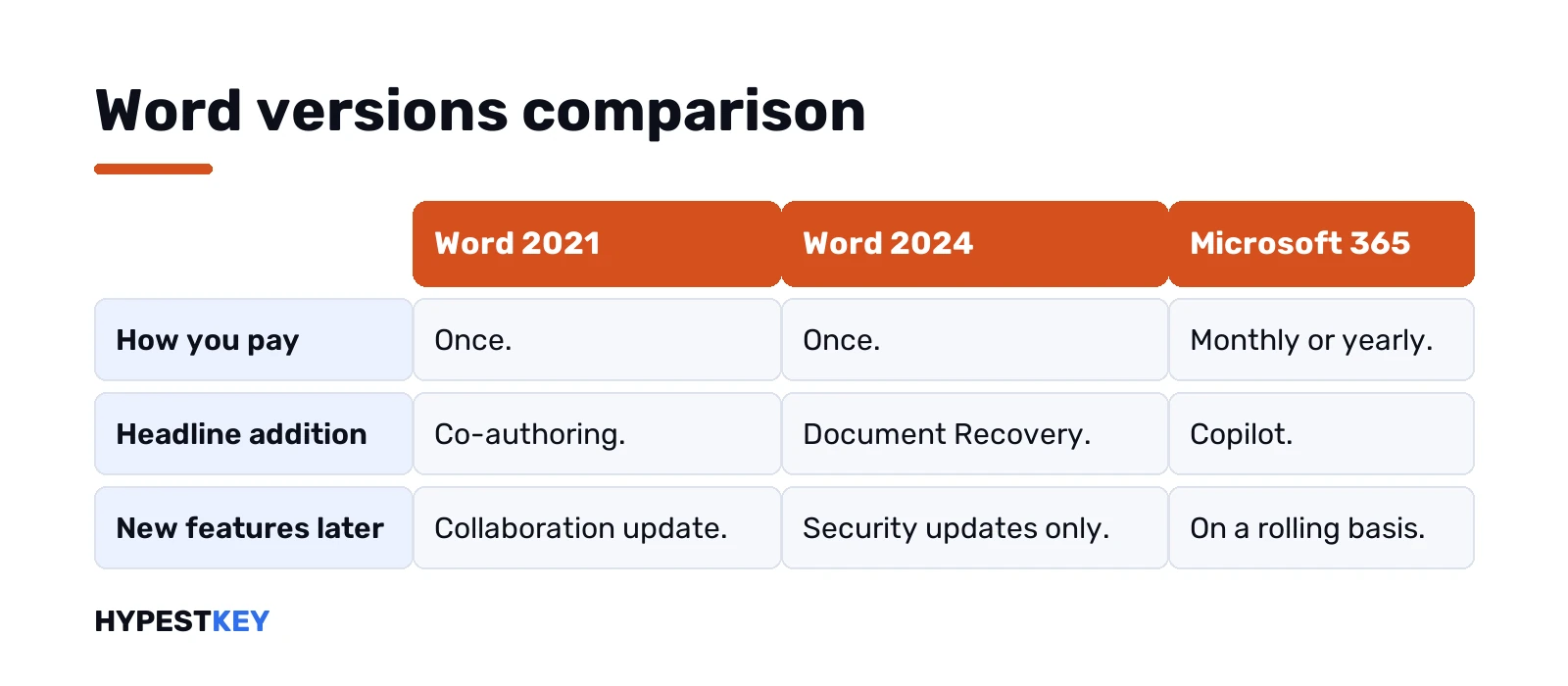
| Editing a shared file with others | Yes, no live typing view | Yes | Real-time co-authoring | Real-time co-authoring | Real-time co-authoring |
| Equations in LaTeX syntax | No | Yes | Yes | Yes | Yes |
| Learning Tools, read aloud | No | Yes | Yes | Yes | Yes |
| Dark Mode that darkens the page | No | No | Yes | Yes | Yes |
| Line Focus, Draw tab Ruler and Lasso | No | No | Yes | Yes | Yes |
| Modern comments | No | No | No | Yes | Yes |
| OpenDocument format | Older ODF | Older ODF | ODF 1.3 | ODF 1.4 | ODF 1.4 |
| Copilot | No | No | No | No | In Microsoft 365 plans |
Two rows decide most choices. Co-authoring splits 2019 from 2021. Modern comments split 2021 from 2024.
The LTSC releases for businesses skip some of this. That includes the Word inside Office LTSC Professional Plus 2024. Retail Word 2021 got its collaboration features in a post-release update. LTSC 2021: no co-authoring, no visual refresh. LTSC 2024: no modern comments, no Viewing and Reviewing modes, no one-click delete of resolved comments.
Release dates, version numbers and the rest of the Office family sit in our list of all Microsoft Office versions.
What each Word release added
Short version per release, Windows side.
- Word 2016. The Tell Me box on the ribbon, Smart Lookup, and editing a shared file with others. Real-time typing view needs a Microsoft 365 subscription.
- Word 2019. Equations typed in LaTeX syntax. Learning Tools with read aloud, text spacing and page color. Translator, inking improvements, an Accessibility Checker with one-click fixes.
- Word 2021. Co-authoring in real time. Dark Mode now darkens the page too. Line Focus shows one, three or five lines. Point Eraser, Ruler and Lasso on the Draw tab.
- Word 2024. Reopens documents after a crash. A new Office theme. Modern comments, with the delete-all for resolved ones. ODF 1.4.
If you’re coming from Word 2013, the jump to 2016 is the biggest one technically. We walk through it in Office 2013 vs 2016. Suite-level pairs? See the 2019 vs 2021 comparison. Then the 2021 vs 2024 one.
Word 2024 vs Word in Microsoft 365
Same app on day one. The gap grows after that.
| Word 2024 | Word in Microsoft 365 | |
|---|---|---|
| Payment | Once | Monthly or yearly |
| New features | No, security updates only | Yes, on a rolling basis |
| Devices | One PC or Mac | All your devices, five signed in at once |
| Copilot | Not included | Included in Microsoft 365 plans |
| Cloud storage | None extra | 1 TB and up |
| Next major release | Full price again | Included |
We’d pick the one-time version for a single PC that only writes documents. Several devices, Copilot or heavy OneDrive use point to the subscription. Our Microsoft 365 vs Office 2024 page goes deeper. Older suite? Try the 2019 vs 2024 breakdown. Every release in one list: all Microsoft Office versions.
Compatibility between Word versions
Newer Word opens older files fine. The catch runs the other way.
A document saved in an older format opens in Compatibility Mode. Some newer features switch off so people on the older version can still edit it. Before sending a file to someone on an old release, we’d run the checker: File, Info, Check for Issues, Check Compatibility.
- Saved as Word 97-2003. Content controls turn into plain text, equations into pictures, SmartArt into static images.
- Citations and bibliographies. They become static text and stop updating.
- Tracked moves. These become a deletion plus an insertion.
- Comments marked as done. That status only survives in the newer formats.
Word for the web can’t save to older formats at all. You need the desktop app for that.
Word versions comparison: which one to choose
- Comparing two drafts. Any desktop Word since 2016 has Compare and Combine.
- Working with others live. Word 2021 or newer, or Microsoft 365. Not the LTSC builds.
- Old files with macros or add-ins. Test them on the newer release first.
- One computer, no subscription. The 2024 one-time suite, Home or Home and Business.
- Several devices or Copilot. Microsoft 365.
More on everyday work in the newer releases: find and replace in Word, deleting pages in Word and signing a Word document.
Common mistakes when comparing Word versions
- Original and revised swapped. Every insertion turns into a deletion.
- Show changes in the original. The source file gets modified.
- Compare for many reviewers. Combine handles that, two files at a time.
- Expecting Version History on a local file. It needs OneDrive or SharePoint.
- Judging releases by look alone. 2016 and 2024 look close, but co-authoring and modern comments split them.
Need the newest one-time Word? Our Office Home and Business 2024 key covers one PC or Mac and comes instantly to email.
FAQ
How do I compare two Word documents for differences?
Review tab, Compare, then Compare two versions of a document. Pick the original and the revised file, and Word shows the changes in a new document.
Does comparing change my original file?
Not by default. Word writes the result to a new document unless you choose to show changes in the original or revised file.
Can I compare more than two versions at once?
No. Combine merges two documents at a time, so you add each reviewer's copy one after another into the combined file.
Where is Version History in Word?
Click the file name in the title bar and choose Version history. It only works for files saved in OneDrive or SharePoint.
Is Word 2024 different from Word in Microsoft 365?
On release day they match closely. Word 2024 gets security updates only, while the subscription version keeps getting new features and Copilot.
Which Word version first had real co-authoring?
Word 2021 added real-time co-authoring. The LTSC business edition of that release doesn't include it.
Can old Word versions open documents from Word 2024?
Usually yes, though some newer elements may change or stop working. Run Check Compatibility before you send the file.