Short answer: Microsoft 365 Business Standard vs Premium: same desktop Office apps, same business email and Teams, 1 TB of OneDrive each. Premium adds the security layer we'd want on laptops: Intune, Entra ID P1, two Defender services and Purview. Price at the time of writing, in the US: we see $14.00 versus $22.00 per user per month, paid yearly.
Microsoft 365 Business Standard vs Premium comes down to security and device management: both plans have the same desktop Office apps, email, Teams and 1 TB of OneDrive per user, and Premium adds Intune, Entra ID P1, Defender for Business and Purview on top. Same apps, different protection, and a different price per seat.
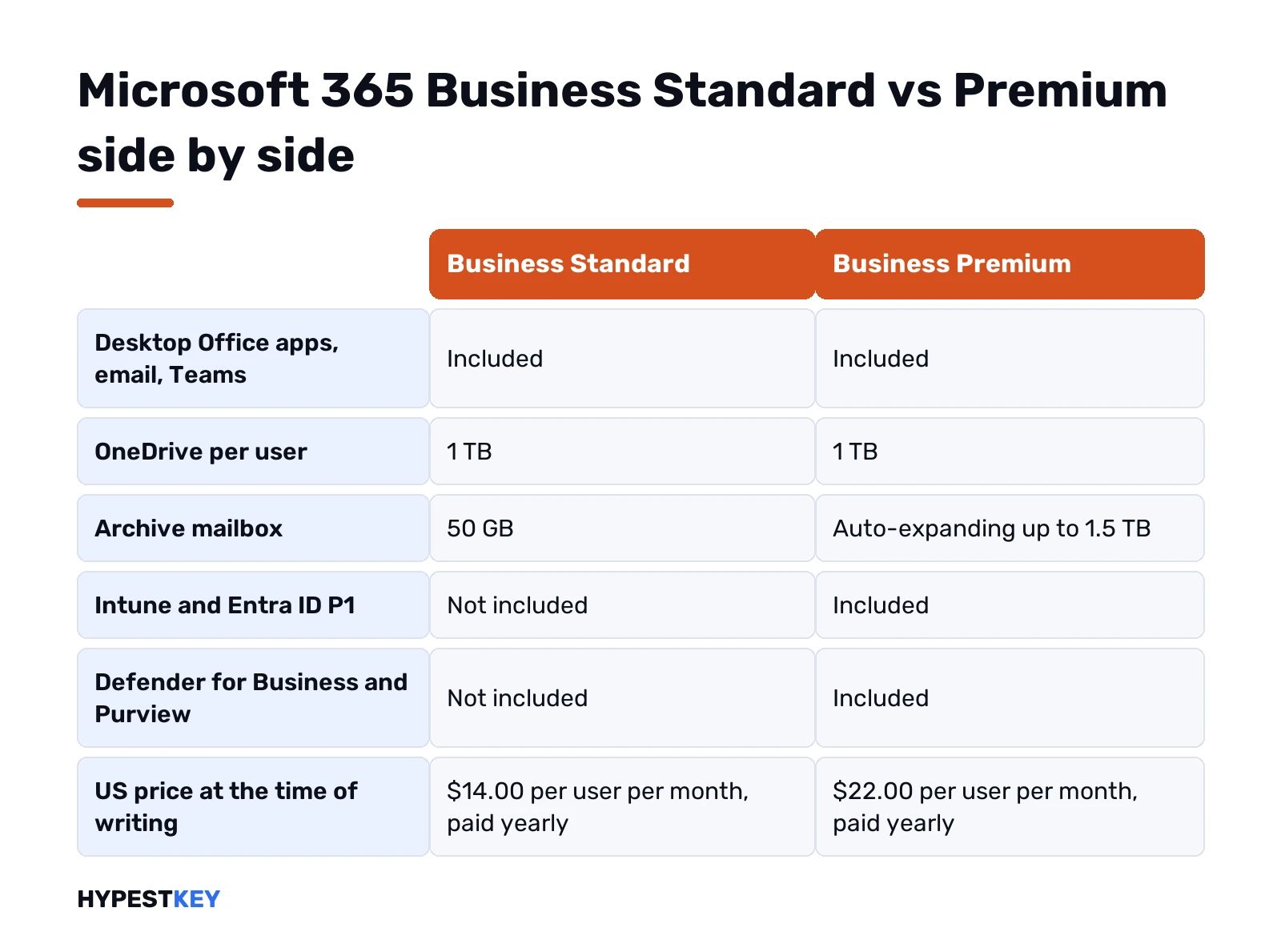
| Business Standard | Business Premium | |
|---|---|---|
| Desktop, web and mobile Office apps | Yes | Yes |
| Business email, Teams, SharePoint | Yes | Yes |
| OneDrive per user | 1 TB | 1 TB |
| Archive mailbox | 50 GB | Up to 1.5 TB, auto-expanding |
| Device management with Intune Plan 1 | No | Yes |
| Microsoft Entra ID Plan 1 | No | Yes |
| Defender for Business, Defender for Office 365 Plan 1 | No | Yes |
| Microsoft Purview, sensitivity labels | No | Yes |
| Shared computer activation for RDS | No | Yes |
| Price at the time of writing, US, paid yearly | $14.00 user/month | $22.00 user/month |
| User limit | 300 across the Business plans | 300 across the Business plans |
Microsoft 365 Business Standard vs Premium at a glance
Think of it as one plan with an optional security layer. Business Standard is the productivity part. Business Premium is that same part plus the tools we’d use to lock down accounts, laptops and phones. Microsoft says it plainly in its Business Premium FAQ: everything in Business Standard, plus security products.
So the useful question isn’t “which apps do we get”. It’s who manages the devices. A shop with three desktops and one person who knows the passwords? Different answer from a team of forty on personal phones.
Our separate guide to Microsoft 365 Business Standard covers that plan service by service. Here we stay on the differences.
What both plans share
Quite a lot. Every user on either plan gets:
- The full desktop Office apps. Access and Publisher too, on Windows PCs only.
- Installs on five PCs or Macs, five tablets and five phones per user.
- Exchange email on your own domain.
- Teams for chat and meetings, SharePoint for team sites.
- 1 TB of OneDrive storage.
- Around-the-clock phone and web support from Microsoft.
Even the primary mailbox matches. Microsoft’s Exchange Online limits page puts the user mailbox at 100 GB for both plans. People are often surprised by that one.
Install steps are identical too. Users sign in and download the apps, as in our walkthrough on installing Microsoft 365.
What Business Premium adds over Business Standard
Five security services, all included rather than sold as add-ons. That’s the entire gap:
- Microsoft Intune Plan 1. Cross-platform device management and mobile app management. Keeps Windows, macOS, iOS and Android devices safe and up to date.
- Microsoft Entra ID Plan 1. Single sign-on, multifactor authentication and Conditional Access. Rules decide who signs in from where.
- Microsoft Defender for Business. Endpoint protection with detection and response, plus vulnerability management for the PCs.
- Defender for Office 365 Plan 1. The phishing and ransomware protection for mail that Microsoft advertises on the plan.
- Microsoft Purview. Sensitivity labels and encryption, so a confidential file isn’t shared by accident.
A few app-side extras come with it. Shared computer activation, desktop virtualization and blocking of personal cloud storage. Microsoft’s Office apps service description marks all three as not available for Business Standard.
The archive mailbox grows too. Standard stops at 50 GB. Premium starts at 100 GB and auto-expands up to 1.5 TB, which we’d want for anyone who never deletes mail.
Price of Business Standard vs Premium
At the time of writing, Microsoft’s US small business pricing page shows these figures, each for an annual subscription that auto-renews:
| Plan | Per user per month, paid yearly |
|---|---|
| Business Standard | $14.00 |
| Business Standard, no Teams | $10.79 |
| Business Premium | $22.00 |
| Business Premium, no Teams | $18.79 |
| Defender for Business on its own | $3.00 |
So $8.00 a seat per month separates the two. Ten users, $80 a month. Prices differ by country, tax and commitment, and we’d check the page for your region before budgeting.
Only need endpoint protection? Defender for Business can be bought alone. It won’t bring Intune or Conditional Access, though, and that’s usually what people are actually after.
Microsoft also mentions a seven-day window after the paid start for cancelling with a prorated amount back. Handy if a trial run goes wrong.
Device limits, mailboxes and storage
Numbers people ask us about, side by side:
| Business Standard | Business Premium | |
|---|---|---|
| App installs per user | 5 PCs or Macs, 5 tablets, 5 phones | 5 PCs or Macs, 5 tablets, 5 phones |
| User mailbox | 100 GB | 100 GB |
| Archive mailbox | 50 GB | 100 GB, auto-expanding to 1.5 TB |
| OneDrive | 1 TB per user | 1 TB per user |
| Office on a terminal server | Not supported | Shared computer activation |
That last row matters more than it looks. Running Office on a Remote Desktop server needs shared computer activation. Standard doesn’t have it, so a small office with an RDS box ends up on Premium almost by default.
Business Standard or Premium: who should pick which
Our rough split:
- Standard fits a small team on office PCs, with a person who handles passwords and updates by hand. No personal phones reading company mail.
- Premium fits laptops that leave the building. Staff on their own phones. Client data with legal rules attached. A Remote Desktop server.
- Neither fits a business that only needs Word and Excel on one or two PCs and has mail elsewhere.
One catch on the Windows side. Microsoft’s FAQ says Business Premium doesn’t make a non-genuine copy of Windows genuine. Windows for business, there? Pro or Pro for Workstations. So we’d move Home PCs to Pro first. Our Windows 11 Home vs Pro page lists what Pro adds, and we’d say a Windows 11 Pro key switches the edition in place.
Not sure where the editions differ beyond that? All Windows 11 editions compared has the wider table.
Five checks before you choose
We’d run through these with whoever looks after the IT, even if that’s the owner on a Friday afternoon:
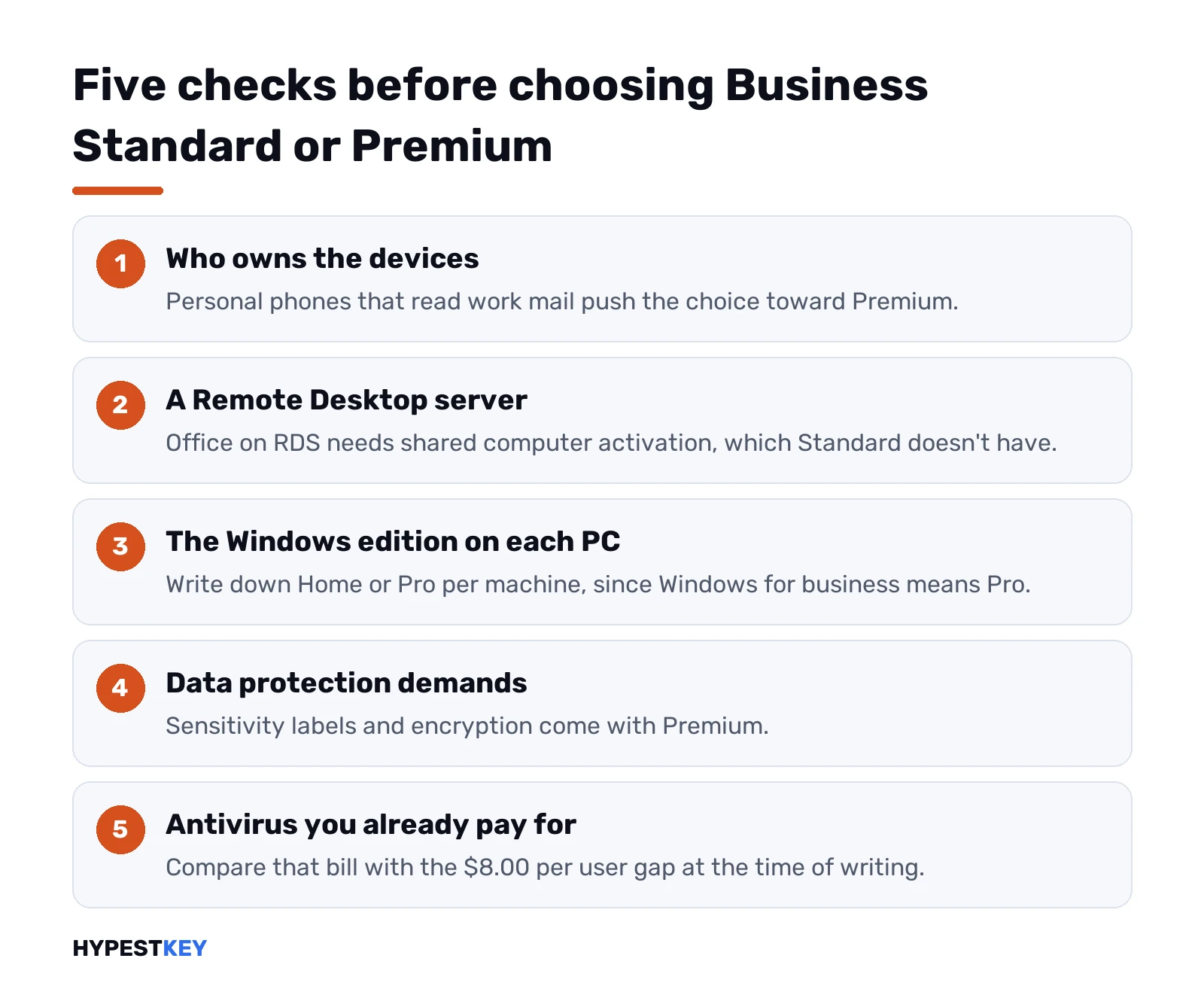
- Who owns the devices? Company laptops only, or personal phones too? Personal phones reading work mail push us toward Premium.
- Is there a Remote Desktop server? Office on RDS needs shared computer activation. Standard can’t do it.
- Which edition of Windows is on the PCs? Home, Pro or a mix. Write it down per machine before signing anything.
- Do clients or regulators ask about data protection? Sensitivity labels and encryption live in Premium.
- Do you already pay for antivirus? Then compare that bill with the $8.00 per user gap. Sometimes Premium replaces it, sometimes it doesn’t.
Two or more answers pointing at security? Premium, in our view. All five quiet? Standard will do, and the money stays in the budget.
One more thing people forget. Premium only helps once someone switches the tools on. Intune policies, Conditional Access rules, labels. Nobody configures them, nothing changes, and you’ve paid for an empty layer. A Microsoft partner can set it up if there’s no admin in-house.
Mixing the two plans and switching later
No need to pick one plan for everyone. Microsoft lets you mix Business plans in one organisation. The catch: Premium’s security and management only cover users whose devices are managed under a Premium license. The owner and finance on Premium, the warehouse PC on Standard? That works.
Moving up later is allowed too. Microsoft lets admins switch from a qualifying plan to Business Premium in the admin center, and the monthly charge changes with it. A one-month trial of Premium exists if you’d rather test Intune before paying, and our guide to the Microsoft Office trial covers how those trials turn into paid plans.
We’d still export anything critical before any plan change, out of habit.
Above 300 users, or no subscription at all
The cap is shared. 300 seats per tenant, Basic, Standard and Premium together. Got 250 Premium seats? Then only 50 more Business seats of any kind. Past that, we’d look at the enterprise plans. Our Windows 11 Enterprise vs Pro guide explains the Windows half of that world.
At the other end, some offices don’t want a subscription. Desktop apps bought once, no cloud mail. We compare the two models in Microsoft 365 vs Office 2024 and in subscribe or buy once. The basics of every plan are in what Microsoft 365 is.
Paying once suits your office better? Our Office Home and Business 2024 key covers one PC or Mac, commercial use included, and arrives instant to email.
Related guides
FAQ
Do Business Standard and Premium have different Office apps?
No. Both include the same full set of desktop Office apps, with Access and Publisher on Windows PCs.
How much more does Premium cost per user?
At the time of writing, $8.00 more a month in the US. Microsoft lists $14.00 for Standard and $22.00 for Premium, paid yearly.
Can some users have Standard and others Premium?
Yes. Plans can be mixed in one tenant, but Premium security covers only users and devices under a Premium license.
Is the mailbox bigger on Premium?
The main mailbox is 100 GB on both. The archive differs: 50 GB on Standard, auto-expanding up to 1.5 TB on Premium.
Does Business Premium include Windows?
It doesn't include a Windows license for Home PCs. Microsoft says it can't make non-genuine Windows genuine, so Pro comes first.
What if we have more than 300 users?
Then the Business plans stop fitting. The 300-seat cap covers Basic, Standard and Premium together, so larger teams move to enterprise plans.
Can we upgrade from Standard to Premium later?
Yes. Microsoft lets admins switch a qualifying plan to Business Premium, and the monthly charge changes with it.