Short answer: The 0x800f081f error shows up when Windows can't find the source files it needs to repair itself, install an update or turn on .NET Framework 3.5. We'd run the troubleshooter, then DISM and SFC. DISM fails too? Then we'd point it at a mounted ISO of the same build, or reinstall Windows over itself.
The 0x800f081f error is CBS_E_SOURCE_MISSING: Windows needed repair or feature files, looked for them, and couldn’t find a usable source. It hits Windows Update, DISM and the .NET Framework 3.5 install. Fixable. We’d first give Windows a source that matches the installed build.
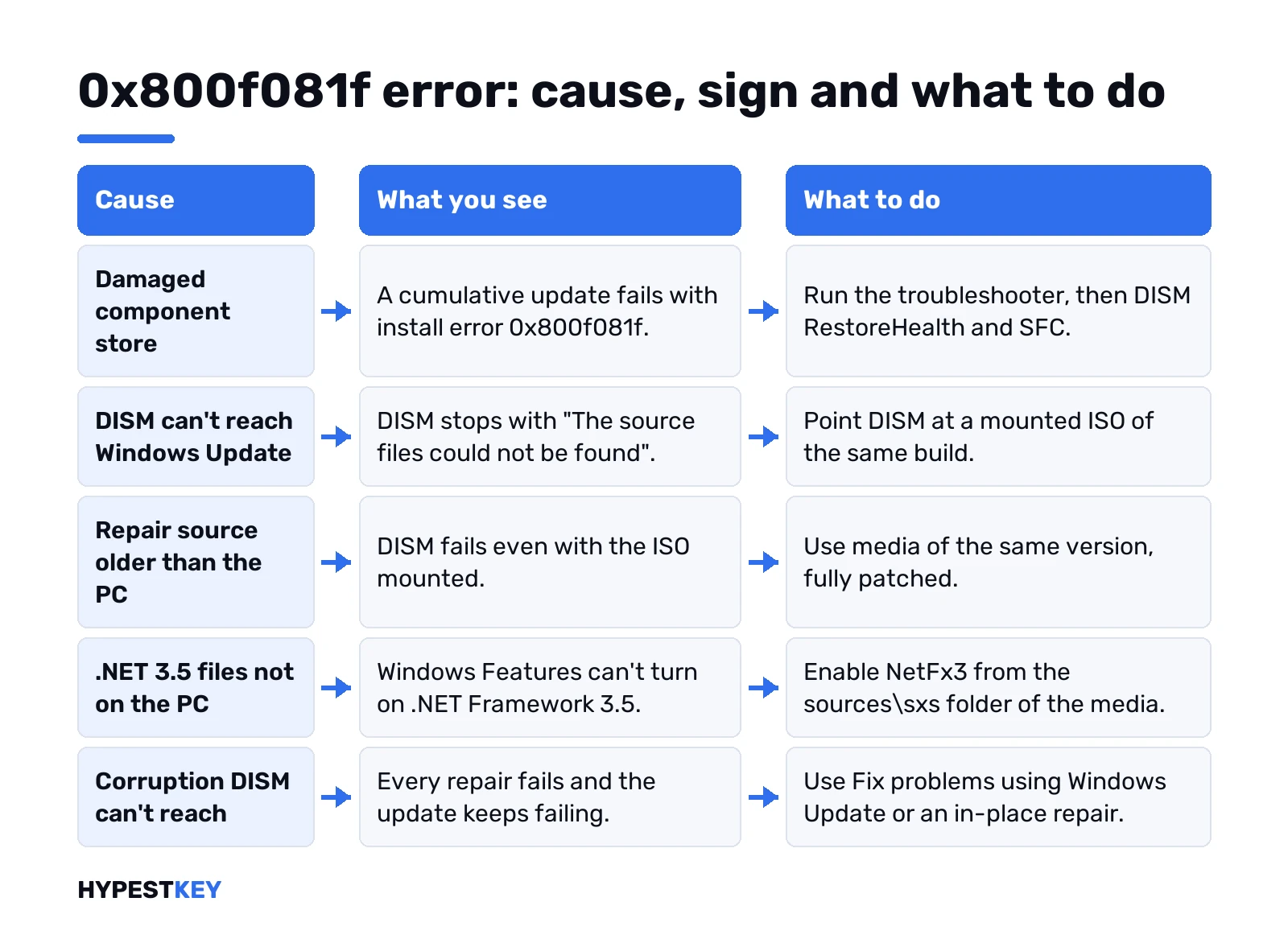
| Cause | What you see | What to do |
|---|---|---|
| Damaged or missing files in the component store | Install error 0x800f081f on a cumulative update | Troubleshooter, then DISM RestoreHealth and SFC |
| DISM can’t reach Windows Update | DISM stops with “The source files could not be found” | Point DISM at a matching install image |
| Repair source older than the PC | DISM fails even with an ISO mounted | Use media of the same build, fully patched |
| .NET 3.5 payload not on the PC | Windows Features can’t turn on .NET Framework 3.5 | Enable NetFx3 from the sources\sxs folder |
| WSUS or policy blocks the download | Works at home, fails on the office network | Group Policy for optional component installation |
| Corruption DISM can’t reach | Every repair fails, the update keeps failing | Fix problems using Windows Update or an in-place repair |
What the 0x800f081f error actually says
Microsoft’s table of Windows Update corruption errors gives the short version. “The source for the package or file not found.”
So the store is damaged, or a feature has no payload on disk. Windows tries to fetch the missing files. The fetch fails. Out comes 0x800f081f.
Close relatives sit on the same list. With error 0x80073712 the store itself is inconsistent. With 0x8007371b a transaction is missing pieces. Same family, slightly different symptom.
Your license isn’t involved. Activation lives elsewhere.
Where you’ll see it
- Update history. “Install error – 0x800f081f” under a KB number.
- DISM in Command Prompt. “The source files could not be found.”
- Windows Features, when you tick .NET Framework 3.5.
- Server Manager, adding the same feature on Windows Server.
- CBS.log, as “Operation result: 0x800f081f” at the end of a DISM run.
Write the KB number down if there is one. Later steps use it.
Fix 1: run the Windows Update troubleshooter
Quick and harmless, so it goes first. Windows 11 runs it from the Get Help app. Or Settings, System, Troubleshoot, Other troubleshooters.
Our Windows Update troubleshooter guide has both the Windows 11 and Windows 10 paths. It resets services. It won’t rebuild missing files, so expect to keep going.
Fix 2: repair the component store with DISM and SFC
Command Prompt, as administrator. Then this:
DISM.exe /Online /Cleanup-image /RestorehealthDISM pulls clean files from Windows Update. Takes several minutes. Wait for “The restore operation completed successfully,” then run:
sfc /scannowRestart. Check for updates again.
DISM itself ended on the same code? Then Windows Update couldn’t hand over the files. Proxy, VPN, WSUS, no connection. The next section is for you.
0x800f081f error when DISM can’t find source files
Give DISM its own source. A Windows ISO of the same version, edition and language works. We’d grab it with the Windows 11 Media Creation Tool, then mount the ISO with a double-click.
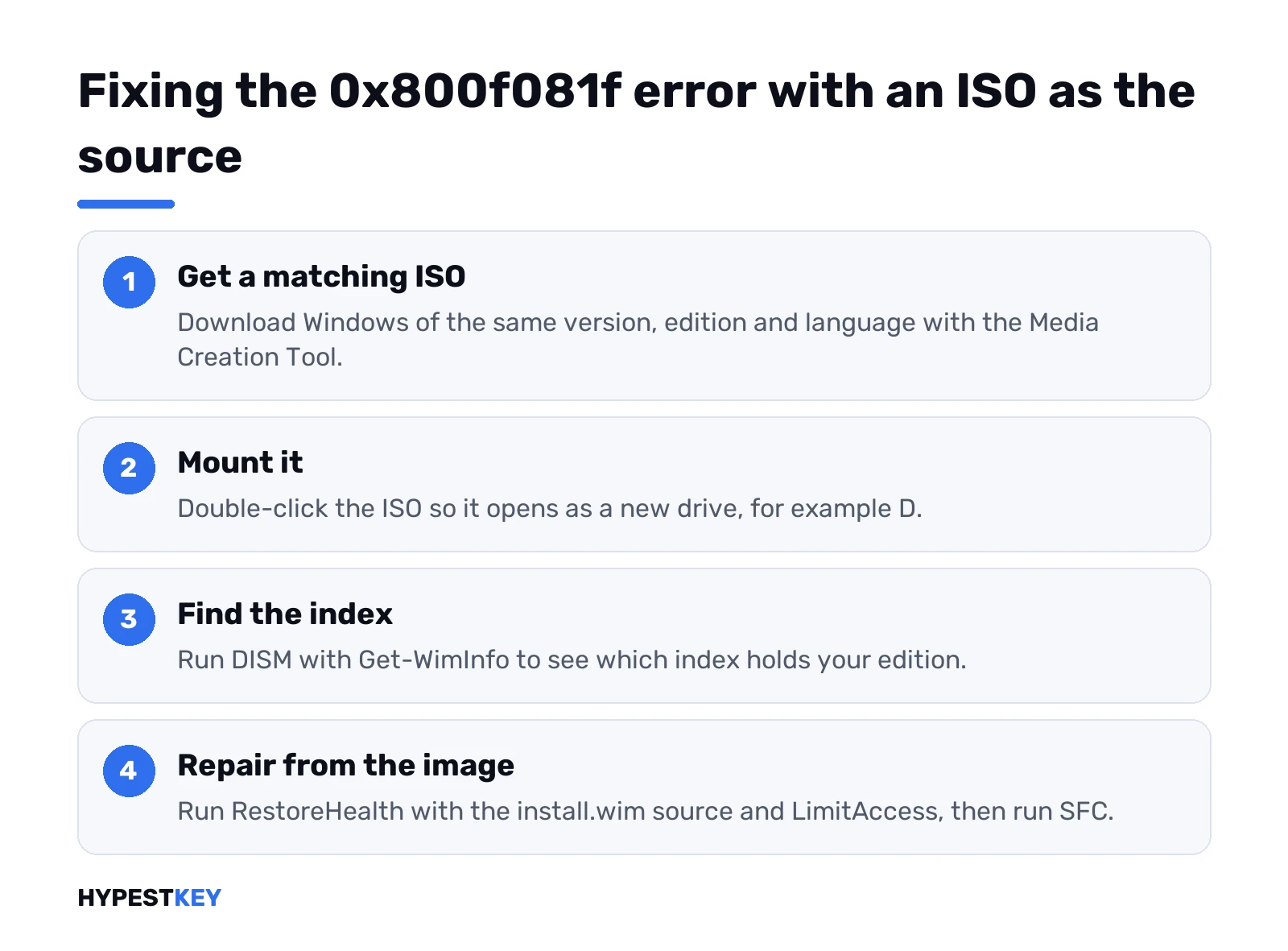
Say the ISO lands on drive D. Check which index holds your edition:
DISM /Get-WimInfo /WimFile:D:\sources\install.wimThen repair from that image. Swap the 6 for your index:
DISM /Online /Cleanup-Image /RestoreHealth /Source:wim:D:\sources\install.wim:6 /LimitAccessLimitAccess keeps DISM away from Windows Update. Only your image counts.
No ISO at all? A healthy PC on the same build can lend its shared Windows folder as the source instead.
Why a mounted ISO can still fail
Microsoft’s notes on a Windows repair source explain the usual trap. The source has to be patched at least as far as the PC.
- PC on a newer cumulative update than the ISO? DISM may still miss files.
- Extra display languages installed? Their language packs must be in the source too.
- Different edition index? Wrong files. Check Get-WimInfo again.
Older ISO on hand? We’d download a fresh one rather than fight it.
Turn on .NET Framework 3.5 without 0x800f081f
.NET 3.5 ships as a Feature on Demand. The switch is there, the files aren’t. Windows fetches them from Windows Update when you enable it.
That download blocked? Use the mounted ISO from above. Command Prompt, admin:
Dism /online /enable-feature /featurename:NetFx3 /All /Source:D:\sources\sxs /LimitAccessSame error again? Three reasons:
- The path has no .NET files in it. Typo in the drive letter, usually.
- Your account can’t read that folder or share.
- The media is incomplete, damaged or for another Windows version.
Open the folder from the affected PC first. If you can’t see it, neither can DISM.
Group Policy for PCs on WSUS
Office PCs often take updates from WSUS. WSUS may not carry repair files, so the feature install dies on the company network.
The admin side lives in the Local Group Policy Editor. Computer Configuration, Administrative Templates, System. Open the setting below and set it to Enabled:
Specify settings for optional component installation and component repairTwo choices there. An Alternate source file path pointing at a sources\sxs share, or the box that lets the PC contact Windows Update directly. Then refresh policy:
gpupdate /forceDomain PC? This setting may belong to IT. Ask before changing it.
Read CBS.log to find the missing package
DISM ran, the result line still says 0x800f081f. The log tells you which piece is gone. It sits here:
%windir%\Logs\CBS\CBS.logScroll to the summary at the bottom. Look for lines like these:
- CBS MUM Missing. A package manifest is gone.
- CSI Payload Corrupt. One file is damaged.
- Repair failed: Missing replacement mum/cat pair. DISM had no clean copy to use.
Each entry carries a build number such as 10.0.19045.3636. The last part is the update revision. Match it on the Windows release history page, and you have the KB that holds the file. That KB is what you fetch next.
Install the failed update from the Update Catalog
Repairs done, one KB still refuses? Fetch it yourself.
- Copy the KB number from Update history.
- Search it in the Microsoft Update Catalog.
- Pick your version and architecture. x64 on most PCs.
- Run the .msu file and restart.
Big packages take a while. Our note on Windows 11 update time explains the wait.
Fix 0x800f081f with a repair reinstall
When nothing sticks, we’d reinstall Windows over itself. Two routes, both keep files and apps.
Recent Windows 11 builds have a built-in one. Settings, System, Recovery. Under Fix problems using Windows Update, press Reinstall now. It downloads a repair copy of your current version and keeps apps, files and settings. Plugged in and online the whole time.
No such button? Managed work PCs often hide it. Then the classic in-place upgrade:
- Free at least 20 GB on 64-bit Windows.
- Mount the ISO and run setup.exe from it.
- Change what to keep, then Keep personal files and apps.
- Install. Several restarts follow.
We’d set a restore point in Windows 11 before either. A factory reset of Windows 11 or a clean install remain the last options, with a backup first.
After the fix: check activation
A repair reinstall keeps the license. A clean install may ask for it again. Settings, System, Activation shows the state, and our guide to check Windows activation status covers the details.
Clean install on a PC without a license? Our Windows 11 Pro key is Retail, instant to email.
Related guides
FAQ
is 0x800f081f a virus or a broken disk
Usually neither. Repair or feature files are missing, and Windows couldn't fetch them from anywhere.
dism keeps saying source files could not be found
Mount an ISO of the same version, edition and language, then run RestoreHealth with that image as the source.
why does my iso not work as a source
Often it's older than the PC. The source has to be patched at least as far as Windows is.
can i get .net 3.5 without windows update
Yes. Enable NetFx3 with DISM and point it at the sources\sxs folder of matching install media.
will reinstall now in recovery delete my stuff
Nope. Fix problems using Windows Update keeps apps, files and settings while it repairs the system.
does this error touch my activation
Nope. It's a servicing problem, so the license and activation state stay exactly as they were.