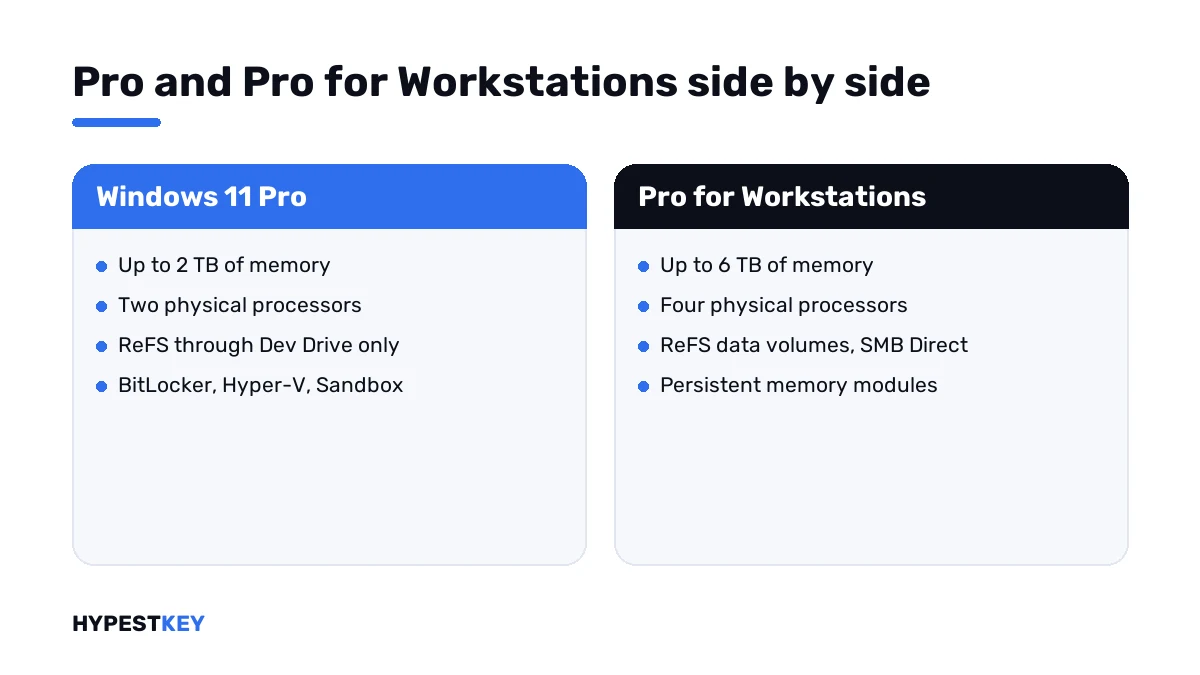
Short answer: Windows 11 Pro for Workstations vs Pro: same features, higher hardware limits. The bigger edition takes 6 TB of memory and four processors, and adds ReFS volumes, SMB Direct and persistent memory. I'd stay on Pro unless the hardware calls for it.
Windows 11 Pro for Workstations vs Pro comes down to hardware. The bigger edition raises the memory and processor limits and adds three storage and network extras. On an ordinary desktop the two behave the same, and we’d say so before you spend more.
| Point | Windows 11 Pro | Windows 11 Pro for Workstations |
|---|---|---|
| Maximum memory | 2 TB | 6 TB |
| Physical processors | 2 | 4 |
| Creating ReFS data volumes | No; Dev Drive only | Yes |
| SMB Direct over RDMA network adapters | No | Yes |
| Persistent memory, NVDIMM-N | No | Yes |
| BitLocker, Hyper-V, Windows Sandbox | Yes | Yes |
| Remote Desktop host, Group Policy, domain join | Yes | Yes |
The memory figures are from Microsoft’s memory limits page. The processor counts go back to Microsoft’s announcement of the edition.
What Pro for Workstations adds
Microsoft’s own page for the edition puts it in one line: all the capabilities of Windows 11 Pro, plus performance extras for demanding work.
| Extra | What it does |
|---|---|
| Higher hardware limits | Up to 6 TB of memory and four physical processors |
| ReFS | A file system that detects corruption and repairs it from a mirrored copy in Storage Spaces |
| Faster file sharing | Network adapters with Remote Direct Memory Access move files at high speed with low latency |
| Persistent memory | Non-volatile memory modules for very fast storage |
Microsoft names the people it has in mind: CAD professionals, animators, data scientists, graphic designers and media production teams.
ReFS, and why Dev Drive doesn’t count
ReFS checks data with checksums. On a mirrored Storage Space it repairs a damaged copy from the good one, and the volume stays online meanwhile.
Plain Pro meets ReFS in one place only. Dev Drive, the developer volume, is built on it, and Microsoft says Dev Drive is available on all Windows editions.
Ordinary ReFS data volumes are another matter. Creating those takes Pro for Workstations or Enterprise.
| ReFS limit | Detail from Microsoft’s overview |
|---|---|
| Boot volume | Not supported; Windows itself stays on NTFS |
| Removable media | Not supported |
| Disk quotas | Not available |
| Maximum volume size | 35 PB, against 256 TB for NTFS |
The details are in Microsoft’s ReFS overview.
What doesn’t change
Games don’t run faster on it. A browser doesn’t either. Office, Photoshop on a single-socket PC, everyday development: all the same as on Pro.
Security is the same too. BitLocker, Hyper-V, Windows Sandbox and Group Policy are in both editions.
The step up from Pro to Enterprise is a different story, about credentials and lockdown. We cover it in Windows 11 Enterprise vs Pro.
How to choose: Windows 11 Pro for Workstations vs Pro
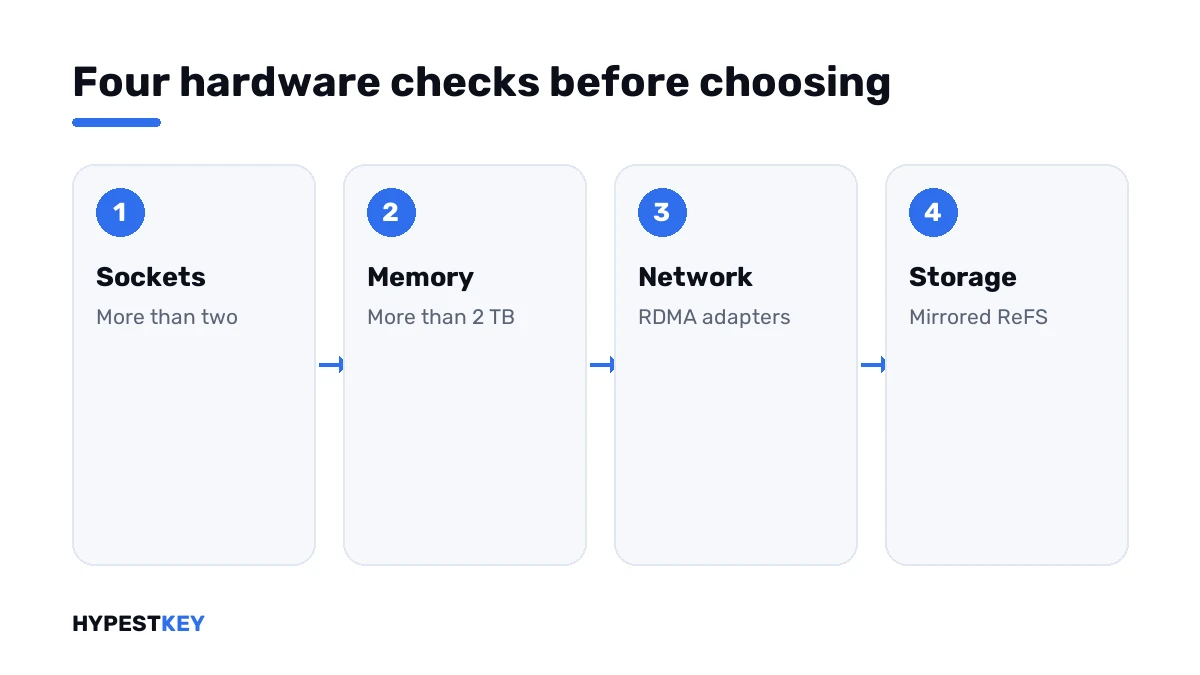
Four checks, all on the hardware you have or plan to buy.
- Open Task Manager, go to Performance and read the number of sockets under CPU.
- Read the installed memory on the Memory tab and compare it with the 2 TB limit of Pro.
- Check whether the network adapters support RDMA and whether a file server on the other end does too.
- Decide whether project data should sit on mirrored ReFS volumes.
- If every answer is no, stay on Pro.
| Your PC | Edition |
|---|---|
| One processor, up to 128 GB of memory | Pro |
| Two processors, memory under 2 TB, no RDMA | Pro |
| Three or four processors | Pro for Workstations |
| More than 2 TB of memory | Pro for Workstations |
| RDMA link to a file server | Pro for Workstations |
| Mirrored ReFS volumes for project data | Pro for Workstations |
Switching from Pro
A key change is enough. Microsoft’s Windows edition upgrade page lists the paths.
| Path | In Microsoft’s table |
|---|---|
| Pro to Pro for Workstations | Supported, no reboot |
| Home to Pro for Workstations | Supported by entering a product key; reboot required |
| Pro for Workstations to Enterprise | Supported, no reboot |
Open Settings, System, Activation, select Change product key and enter the new key. Then I’d check the activation status.
Going back is possible on a PC that shipped with Pro. Microsoft’s example: the key stored in the firmware returns the machine to Pro.
Keys for both editions
Our Windows 11 Pro for Workstations key activates the edition on one PC. The Windows 11 Pro key does the same for Pro. Both arrive instant to email.
Each edition takes its own key. More on that in digital license vs product key and in how to activate Windows 11.
Not sure which edition is on the PC now? See finding your Windows product key and our Windows 11 Home vs Pro comparison. Hardware minimums are in the Windows 11 requirements guide. Every edition we carry is under Windows 11 keys.
Mistakes we see most
- Buying the bigger edition for a gaming PC.
- Expecting ReFS on the system drive.
- Counting cores instead of sockets; the limit is on physical processors.
- Expecting SMB Direct to help without RDMA adapters on both ends.
- Typing a Pro for Workstations key into Home N or another N edition.
Terms used on this page
| Term | Meaning |
|---|---|
| Socket | A physical processor on the mainboard, whatever its core count |
| ReFS | Resilient File System |
| Storage Spaces | The Windows feature that groups drives into mirrored or parity pools |
| RDMA | Remote Direct Memory Access, a way for network adapters to move data with little CPU work |
| SMB Direct | File sharing over RDMA adapters |
| NVDIMM-N | A memory module that keeps its contents without power |
| Dev Drive | A developer volume in Windows 11, built on ReFS |
FAQ
What is the difference between Windows 11 Pro and Pro for Workstations?
Hardware limits and three extras. Pro for Workstations takes up to 6 TB of memory and four processors. It also adds ReFS data volumes, SMB Direct and persistent memory, and I'd weigh those against your hardware.
Is Windows 11 Pro for Workstations faster than Pro?
Not on ordinary hardware. The two run the same core system. We'd expect a gain only where a PC goes past Pro's limits or uses RDMA networking.
Is Pro for Workstations better for gaming?
No. Games use neither four processors nor terabytes of memory. I'd put the money into the graphics card and stay on Pro.
Can Windows 11 Pro use ReFS?
Only through Dev Drive, the developer volume built on ReFS. Creating ordinary ReFS data volumes takes Pro for Workstations or Enterprise. We'd keep the system drive on NTFS in any case.
How much memory does each edition support?
Microsoft's memory limits page gives 2 TB for Windows 11 Pro. For Pro for Workstations it gives 6 TB. Home stops at 128 GB, and I'd check that figure before a big upgrade.
Can I upgrade from Pro to Pro for Workstations without reinstalling?
Yes. Microsoft lists the path as supported with no reboot. We enter the new key under Settings, System, Activation, Change product key.
Does Pro for Workstations include everything in Pro?
Yes. Microsoft describes it as all the capabilities of Windows 11 Pro plus performance extras. BitLocker, Hyper-V and Group Policy are there, and we haven't found a Pro feature that's missing.