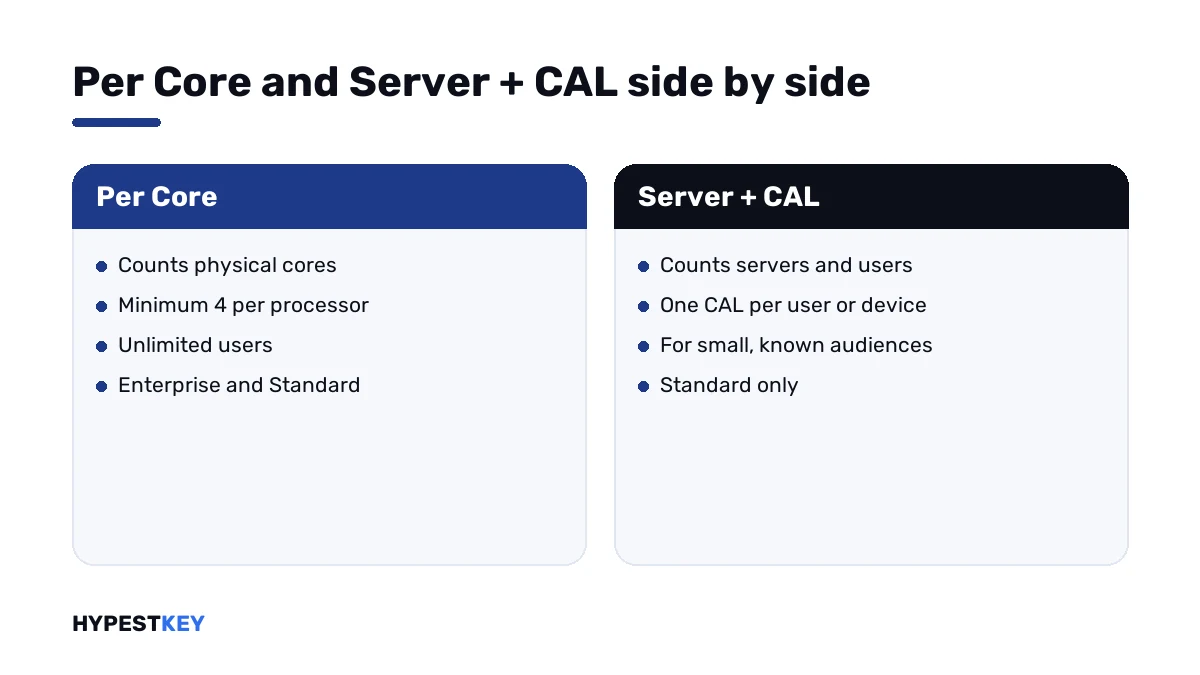
Short answer: SQL Server licensing has two models. Per Core counts cores, with a minimum of four per processor, and allows unlimited users. Server + CAL is for Standard only. Each user or device needs a CAL. I'd price both when the number of users is small and fixed.
SQL Server licensing comes in two models. Per Core counts the processor cores of the server and lets any number of people connect. Server plus CAL counts the server and each user. It exists for Standard only. We’d count cores and users before choosing.
| Point | Per Core | Server + CAL |
|---|---|---|
| What is counted | Cores | Servers, plus users or devices |
| Editions | Enterprise and Standard | Standard |
| Minimum | Four core licenses per physical processor | One server license and one CAL per user or device |
| Sold as | Packs of two core licenses | A server license and single CALs |
| Users | Unlimited | Each needs a CAL |
| Fits | Web and extranet workloads, large or uncountable audiences | A small, known number of users |
The rules come from Microsoft’s core-based licensing guidance and its SQL Server 2022 pricing page.
Which editions need a license
| Edition | License |
|---|---|
| Enterprise | Per Core |
| Standard | Per Core, or Server + CAL |
| Web | Through hosting providers only |
| Developer | Free, per user, for development and test only |
| Express | Free |
Enterprise under Server + CAL exists in old agreements only. Microsoft notes it isn’t available for new ones.
What each edition can do is a separate question. We compare them in SQL Server 2022 Standard vs Enterprise vs Express, and the free edition’s ceilings are in SQL Server Express limits.
Per Core on a physical server
Microsoft’s procedure has two steps: count the physical cores of each processor, then buy that many core licenses.
| Rule | Detail |
|---|---|
| What to count | All physical cores in the server |
| Minimum | Four core licenses per physical processor |
| Pack size | Two core licenses per pack, so divide by two for the number of packs |
| Hyper-threading | Doesn’t change the count on a physical server |
| Core factor table | No longer used from SQL Server 2016 on |
| Version | Licenses must be for the version being run, or a newer one |
| Server | Core licenses | Two-core packs |
|---|---|---|
| One processor, 4 cores | 4 | 2 |
| One processor, 2 cores | 4, the minimum | 2 |
| One processor, 8 cores | 8 | 4 |
| Two processors, 8 cores each | 16 | 8 |
| Two processors, 12 cores each | 24 | 12 |
Client access licenses play no part in this model. Staff, customers, a public website: all may connect.
Server + CAL
Here each server running SQL Server Standard gets a server license. Each user or device that reaches it gets a CAL.
The model pays off when the audience is small and known. An accounting system for twelve people is the textbook case.
It stops fitting when users can’t be counted. A database behind a public website has no countable users, and Microsoft’s guidance names that as a case for Per Core.
Virtual machines
| Rule | Detail |
|---|---|
| What to count | The virtual cores allocated to the VM |
| Minimum | Four core licenses per virtual machine |
| SQL Server 2022 | Licensing by individual VM is for subscription licenses or licenses with active Software Assurance |
| Enterprise, whole server licensed, with Software Assurance or subscription | Any number of virtual machines on that server |
| Moving VMs between hosts | License Mobility Across Server Farms, a Software Assurance benefit |
The third row matters for plain one-time licenses. Without Software Assurance or a subscription, we’d license SQL Server 2022 by the physical cores of the host.
Microsoft’s list prices and the break-even
| Item | Microsoft’s open price, USD |
|---|---|
| Enterprise, two-core pack | 15,123 |
| Standard, two-core pack | 3,945 |
| Standard, server license | 989 |
| Standard, one CAL | 230 |
With those figures the arithmetic for Standard is quick. Four cores cost two packs, 7,890. A server license with CALs costs 989 plus 230 per user.
| Users | Server + CAL | Per Core, 4 cores | Lower |
|---|---|---|---|
| 10 | 3,289 | 7,890 | Server + CAL |
| 20 | 5,589 | 7,890 | Server + CAL |
| 30 | 7,889 | 7,890 | Even |
| 40 | 10,189 | 7,890 | Per Core |
So at Microsoft’s list prices the line sits at about 30 users for a four-core server. More cores move it up: with eight cores it’s about 64. Street prices differ, and the method stays the same.
How to count SQL Server licensing for your server
Six steps, with a sheet of paper.
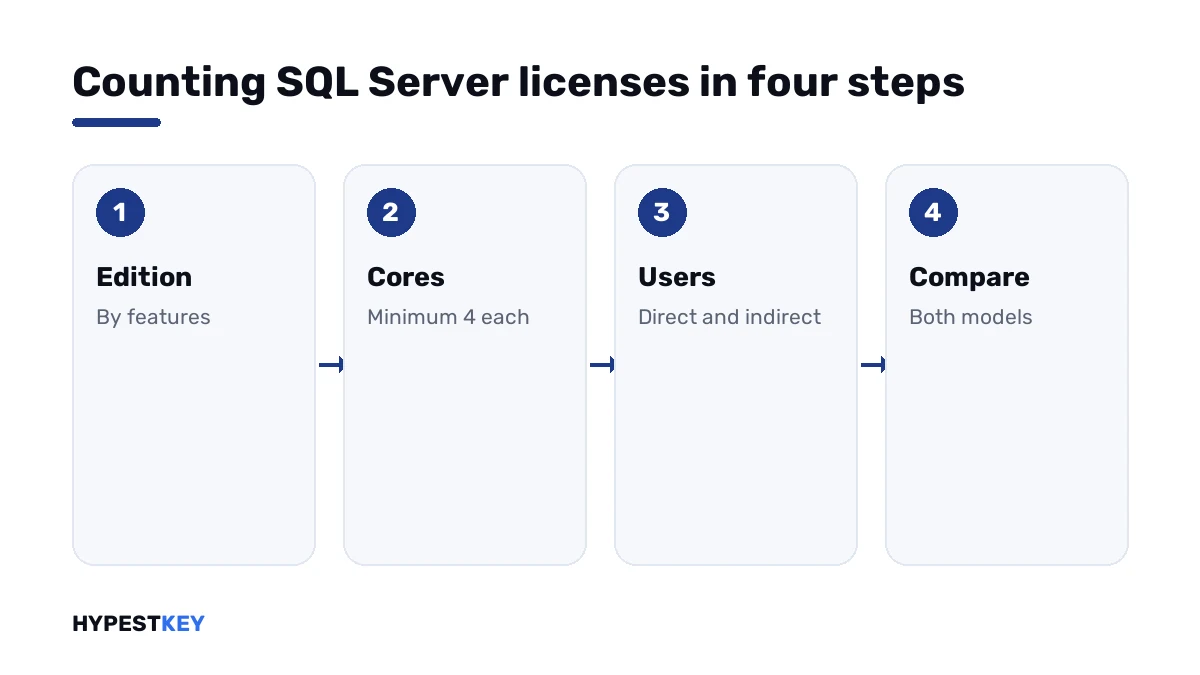
- Decide the edition from the features and limits you need.
- Count the physical processors and the cores in each.
- Raise any processor with fewer than four cores to four, and add up.
- Count the users or devices that will reach the database, directly or through an application.
- If that number is small and fixed and the edition is Standard, price Server + CAL beside Per Core.
- For a public or growing audience, or for Enterprise, take Per Core.
Parts that are easy to forget
| Part | Rule |
|---|---|
| Reporting Services or Integration Services on a second server | That server needs its own licenses |
| A test server | Developer edition is free for it; production data doesn’t belong there |
| The operating system | Windows Server is licensed separately, with its own CALs |
| Management Studio | Free; no license needed for the tool |
For the system underneath, see Windows Server 2022 Standard vs Datacenter and managing CAL licenses in Windows Server 2022. The tool is covered in SQL Server Management Studio.
What our key covers
Our SQL Server 2022 Standard key is sold as a per-core license for one server installation. We send it instant to email, with Microsoft’s download link.
Earlier releases are there too: the SQL Server 2019 Standard key and the SQL Server 2017 Standard key. The whole range is under SQL Server keys.
A server with many cores, or a cluster? Write to us before ordering and we’ll count it with you. License types in general are explained in retail vs OEM vs volume license, and a host for the database starts with a Windows Server 2022 Standard key.
Mistakes we see most
- Licensing two cores on a dual-core processor; the minimum is four.
- Counting logical processors instead of physical cores.
- Choosing Server + CAL for a database behind a public website.
- Forgetting people who reach the data through an application.
- Running production on Developer edition.
- Assuming SQL Server CALs cover Windows Server as well.
Terms used on this page
| Term | Meaning |
|---|---|
| Core license | The unit of the Per Core model; sold two to a pack |
| CAL | Client access license for one user or one device |
| Physical OSE | The operating system running directly on the hardware |
| Software Assurance | Microsoft’s paid maintenance program with extra rights |
| License Mobility | The right to move licenses between servers of a farm as needed |
FAQ
How is SQL Server licensed?
Per Core, or for Standard also per server with CALs. Enterprise is Per Core only for new customers. Express and Developer are free, and we'd keep Developer away from production.
How many core licenses does SQL Server need at minimum?
Four per physical processor. Microsoft sells core licenses in packs of two, so the smallest order is two packs. I'd count physical cores, not threads.
Do I need CALs with per-core licensing?
No. Per Core allows any number of users and devices. We see CALs bought by mistake alongside core licenses.
When is Server + CAL the better model?
When the edition is Standard and the users are few and known. At Microsoft's list prices the line is near 30 users for a four-core server. I'd redo the sum with the prices you're offered.
Does hyper-threading double the licenses?
Not on a physical server. Microsoft says hyper-threading doesn't affect the number of core licenses there. We count the physical cores.
How is SQL Server licensed in a virtual machine?
By the virtual cores of the VM, four at least. For SQL Server 2022, Microsoft ties licensing by individual VM to subscriptions or Software Assurance. I'd check that before virtualising.
Is SQL Server Developer edition free?
Yes, per user, for development and test. Microsoft's terms don't allow production use. We'd move a system to Standard or Enterprise before it goes live.