
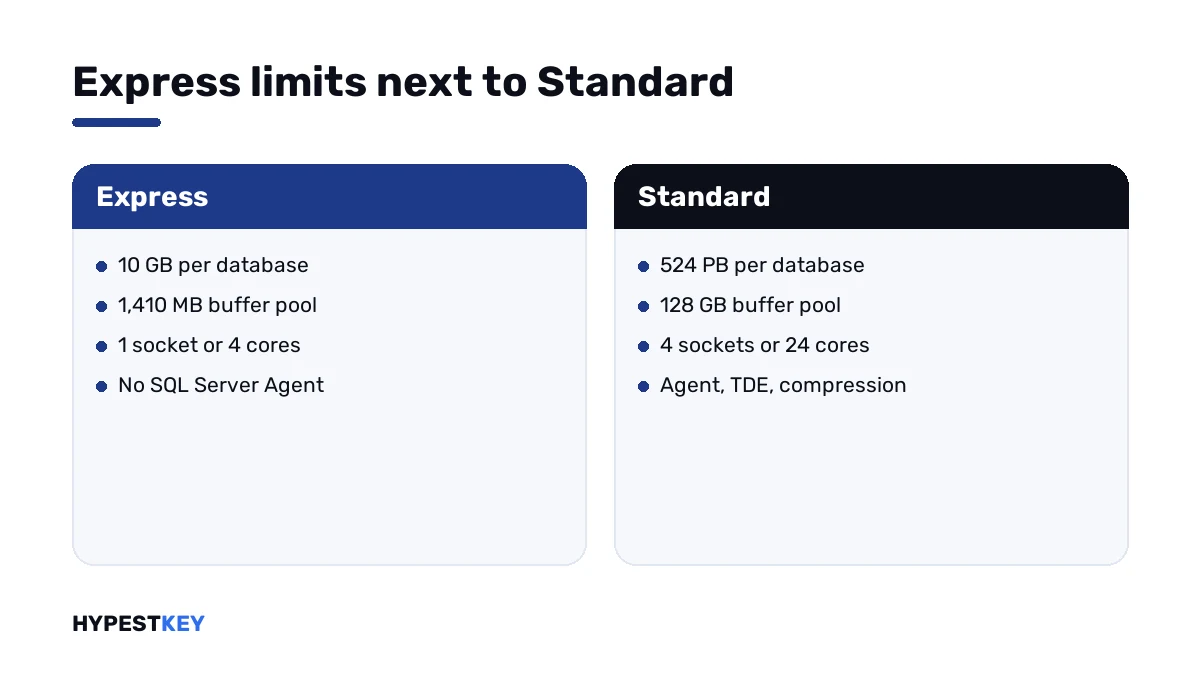
Short answer: The SQL Server Express limits in SQL Server 2022 are short. A database stops at 10 GB. The buffer pool stops at 1,410 MB, with one socket or four cores for compute. There's no SQL Server Agent. The size limit counts data files, per database. I'd move to Standard before the first insert fails.
The SQL Server Express limits fit on four lines. A database stops at 10 GB. The buffer pool stops at 1,410 MB, and compute at one socket or four cores. There’s no SQL Server Agent. Inside those lines Express is free for production too. We’d measure a database against them before it grows into trouble.
| Limit in SQL Server 2022 Express | Value |
|---|---|
| Relational database size | 10 GB per database |
| Buffer pool memory per instance | 1,410 MB |
| Compute per instance | Lesser of 1 socket or 4 cores |
| Columnstore segment cache per instance | 352 MB |
| Memory-optimized data per database | 352 MB |
| Instances per server | 50 |
Microsoft publishes the figures in Editions and supported features of SQL Server 2022.
The 10 GB database size limit
The size limit applies to each database separately. An instance can hold several databases of up to 10 GB each.
It counts the data files. The transaction log isn’t part of the 10 GB.
When a data file can’t grow any further, SQL Server refuses the growth. The message names the licensed limit of 10240 MB per database. Inserts start to fail from then on, while reads keep working.
Memory and CPU
Express uses at most 1,410 MB for the buffer pool, however much memory the server has. That pool is where data pages are cached.
The processor rule reads “lesser of 1 socket or 4 cores”. On a 16-core server, an Express instance still works with four.
Both limits are per instance. They don’t make queries fail. They make them slower once the data no longer fits in the cache.
Features Express leaves out
| Feature | In Express |
|---|---|
| SQL Server Agent | No |
| Database mail | No |
| Backup compression and encrypted backup | No |
| Transparent data encryption | No |
| Log shipping | No |
| Failover cluster instances and availability groups | No |
| SQL Profiler | No |
| Change data capture | No |
| Replication | Subscriber only |
| Full-text search | Only in Express with Advanced Services |
| Analysis Services and Integration Services | No |
The missing Agent is felt first. Nothing inside Express runs a job on a schedule, backups included.
What Express does include
| Feature | In Express |
|---|---|
| The full Database Engine with T-SQL | Yes |
| SQL Server Management Studio | Yes |
| Always Encrypted, row-level security, dynamic data masking | Yes |
| Columnstore indexes, In-Memory OLTP, partitioning, compression | Yes, inside the memory limits |
| Query Store | Yes |
| Database snapshot | Yes |
| Backup and restore | Yes, uncompressed |
So the engine itself isn’t cut down. The ceilings and the tooling are.
How to check a database against the SQL Server Express limits
Two queries and one look at the server settle it.
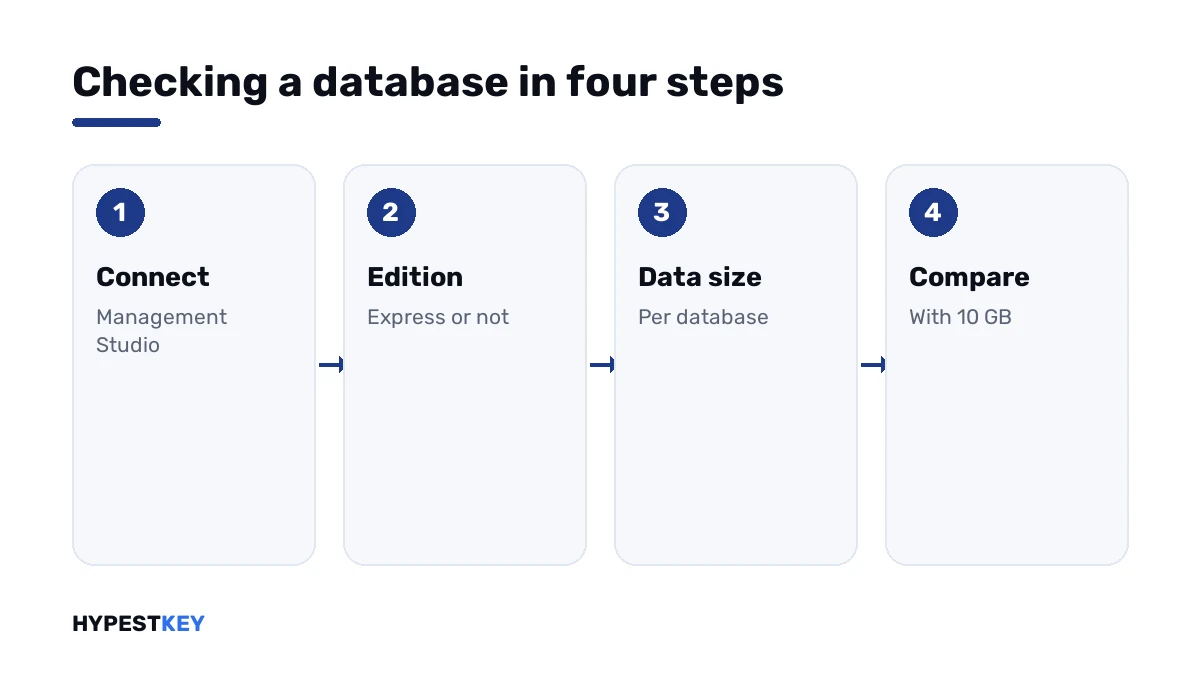
- Open SQL Server Management Studio and connect to the instance.
- Run the edition query below and confirm that it returns Express Edition.
- Run the size query and read the data size of each database in megabytes.
- Compare the largest figure with 10,240 MB.
- Note how fast it grew over the last months and estimate when it reaches the limit.
SELECT SERVERPROPERTY('Edition') AS Edition;

SELECT DB_NAME(database_id) AS DatabaseName,
       SUM(size) * 8 / 1024 AS DataSizeMB
FROM sys.master_files
WHERE type_desc = 'ROWS'
GROUP BY database_id
ORDER BY DataSizeMB DESC;
The second query adds up the data files only, which is what the limit counts. Installing the tool is covered in our SQL Server Management Studio guide.
Living inside the limits
| Problem | What people do |
|---|---|
| No Agent for backups | A script with sqlcmd, run by Windows Task Scheduler |
| Database near 10 GB | Archive old rows into a second database, or delete what isn’t needed |
| Files and images stored in tables | Keep the files on disk and only the paths in the database |
| Slow queries on a big table | Better indexes, so less data has to pass through the small cache |
These buy time. They don’t change the ceiling.
Limits by release
| Release | Database size | Buffer pool | Compute |
|---|---|---|---|
| SQL Server 2022 Express | 10 GB | 1,410 MB | 1 socket or 4 cores |
| SQL Server 2025 Express | 50 GB | 1,410 MB | 1 socket or 4 cores |
The 2025 row is from Microsoft’s editions page for SQL Server 2025. Memory and cores stayed where they were.
When to move to Standard
| Sign | What Standard changes |
|---|---|
| A database close to 10 GB | Up to 524 PB per database |
| The cache is too small for the data | 128 GB of buffer pool per instance |
| Jobs have to run on a schedule | SQL Server Agent |
| Data has to be encrypted on disk | Transparent data encryption |
| Backups are too large | Backup compression |
| A standby server is needed | Log shipping, basic availability groups |
The move itself runs as an edition upgrade in SQL Server Setup, under Maintenance, with the new product key. The databases stay in place.
Our SQL Server 2022 Standard key switches on the Standard edition for one server installation. We send it instant to email. We keep older releases as well: the SQL Server 2019 Standard key, for one. The whole range is under SQL Server keys.
All three editions are set side by side in SQL Server 2022 Standard vs Enterprise vs Express.
Around the database server
- The system under it: Windows Server 2022 Standard key.
- Which server edition: Windows Server 2022 Standard vs Datacenter.
- Backups of the host: Windows Server Backup.
- Client access licenses: managing CAL licenses in Windows Server 2022.
- Remote administration: enabling RDP on Windows Server.
Mistakes we see most
- Reading 10 GB as a limit for the whole instance.
- Adding memory to the server and expecting Express to use it.
- Assuming backups run by themselves, with no Agent to run them.
- Storing scanned documents in the database until it hits the ceiling.
- Waiting for the first failed insert before planning the upgrade.
Terms used on this page
| Term | Meaning |
|---|---|
| Instance | One installed copy of the Database Engine |
| Buffer pool | The memory where SQL Server caches data pages |
| Data file | The file that holds tables and indexes, as opposed to the log file |
| SQL Server Agent | The service that runs scheduled jobs |
| Express with Advanced Services | The Express package that adds full-text search and Reporting Services |
| Edition upgrade | Changing the edition of an installed instance with a product key |
FAQ
What are the limits of SQL Server Express?
In SQL Server 2022, 10 GB per database and 1,410 MB of buffer pool per instance. Compute stops at one socket or four cores. We'd add the missing SQL Server Agent to that list.
Is the 10 GB limit per database or per server?
Per database. One Express instance can hold several databases of up to 10 GB each. I'd still watch the largest one, because that's the one that stops.
Does the transaction log count toward the 10 GB?
No. The limit counts the data files of the database. We size and back up the log separately all the same.
What happens when an Express database reaches 10 GB?
The data file can't grow, and SQL Server reports the licensed limit of 10240 MB per database. Inserts fail from then on. Reads keep working, and I'd free space or upgrade at once.
How much memory can SQL Server Express use?
The buffer pool stops at 1,410 MB per instance. More memory in the server doesn't change that. We see it show up as slow queries on larger tables.
Can I use SQL Server Express in production?
Yes, it's free for that inside its limits. Microsoft describes it for desktop and small server applications. I'd arrange backups with Task Scheduler, since there's no Agent.
Is the limit higher in SQL Server 2025 Express?
Yes. Microsoft's editions page for SQL Server 2025 gives 50 GB per database. Buffer pool and cores are unchanged, so we wouldn't expect more speed from it.