Short answer: SQL Server 2022 Standard vs Enterprise vs Express in short: Express is free up to 10 GB per database. Standard runs up to 24 cores and 128 GB of buffer pool. Enterprise has no such limits. We'd name full availability groups and online index work as its main extras. I'd take Standard unless a named Enterprise feature is needed.
SQL Server 2022 Standard vs Enterprise vs Express starts with three numbers: cores, memory and database size. Express is free and small. Standard carries most production work. Enterprise removes the limits, and we’d pay for it only when a named feature demands it.
| Limit | Express | Standard | Enterprise |
|---|---|---|---|
| Compute per instance | Lesser of 1 socket or 4 cores | Lesser of 4 sockets or 24 cores | Operating system maximum |
| Buffer pool memory per instance | 1,410 MB | 128 GB | Operating system maximum |
| Maximum relational database size | 10 GB | 524 PB | 524 PB |
| Price | Free | Paid | Paid |
Every figure on this page is from Microsoft’s Editions and supported features of SQL Server 2022.
The editions in Microsoft’s words
| Edition | How Microsoft describes it |
|---|---|
| Enterprise | The premier offering, with high-end datacenter capabilities for mission-critical workloads |
| Standard | A balance of performance, security and affordability for growing businesses |
| Express | The entry-level, free database for learning and for desktop and small server applications |
| Developer | All the functionality of Enterprise, licensed for development and test, not for production |
| Web | A low-cost option for web hosters |
Developer and Web sit outside this comparison. Developer can’t run production. Web comes through hosting providers only, and Microsoft notes it isn’t available in SQL Server 2025.
Scale limits in full
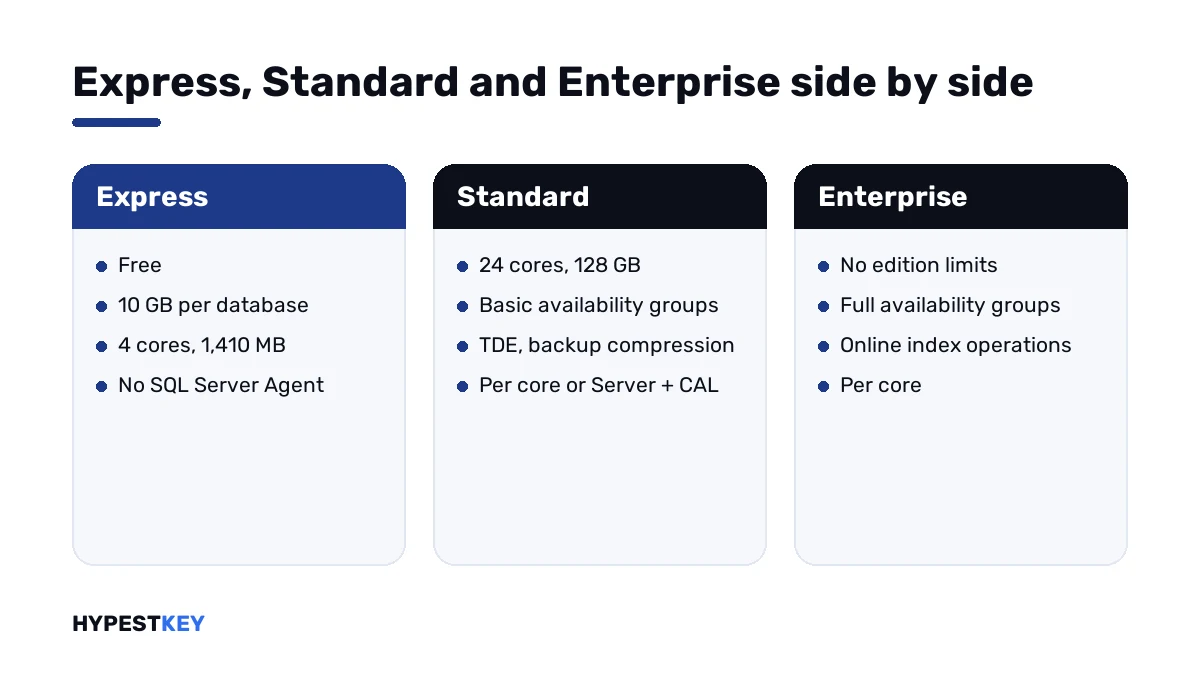
| Limit | Express | Standard | Enterprise |
|---|---|---|---|
| Database Engine compute per instance | 1 socket or 4 cores | 4 sockets or 24 cores | Operating system maximum |
| Buffer pool per instance | 1,410 MB | 128 GB | Operating system maximum |
| Columnstore segment cache per instance | 352 MB | 32 GB | Unlimited |
| Memory-optimized data per database | 352 MB | 32 GB | Unlimited |
| Relational database size | 10 GB | 524 PB | 524 PB |
| Instances per server | 50 | 50 | 50 |
The Express limit is per database, not per server. Several 10 GB databases can sit on one instance.
How to measure a database against it is in SQL Server Express limits.
The Standard limits bind later than people expect. A server with 256 GB of memory can run Standard; the buffer pool of one instance stops at 128 GB.
High availability
Here Enterprise pulls away. Standard keeps a basic form of each idea.
| Feature | Express | Standard | Enterprise |
|---|---|---|---|
| Log shipping | No | Yes | Yes |
| Backup compression | No | Yes | Yes |
| Encrypted backup | No | Yes | Yes |
| Always On failover cluster instances | No | Yes, two nodes | Yes, up to 16 nodes |
| Basic availability groups | No | Yes: two replicas, one database | No |
| Always On availability groups | No | No | Yes: up to 8 secondary replicas, 5 of them synchronous |
| Online index create and rebuild | No | No | Yes |
| Online page and file restore | No | No | Yes |
| Hot add memory and CPU | No | No | Yes |
| Accelerated database recovery | No | Yes | Yes |
| Database snapshot | Yes | Yes | Yes |
One row hurts Standard in daily work: online index rebuilds. On Standard a rebuild locks the table, so we schedule it for the night.
Performance features
| Feature | Express | Standard | Enterprise |
|---|---|---|---|
| Columnstore indexes | Yes | Yes | Yes |
| In-Memory OLTP | Yes | Yes | Yes |
| Table and index partitioning | Yes | Yes | Yes |
| Data compression | Yes | Yes | Yes |
| Batch mode degree of parallelism | 1 | 2 | Not limited |
| Resource governor | No | No | Yes |
| Automatic tuning | No | No | Yes |
| Batch mode adaptive joins and memory grant feedback | No | No | Yes |
| Parameter sensitive plan optimization | Yes | Yes | Yes |
| Query Store | Yes | Yes | Yes |
The first four rows used to belong to Enterprise in old releases. In 2022 they’re everywhere, inside each edition’s memory limits.
Security
| Feature | Express | Standard | Enterprise |
|---|---|---|---|
| Transparent data encryption | No | Yes | Yes |
| Extensible Key Management | No | Yes | Yes |
| Always Encrypted, with secure enclaves too | Yes | Yes | Yes |
| Row-level security and dynamic data masking | Yes | Yes | Yes |
| Ledger | Yes | Yes | Yes |
| Server and database audit | Yes | Yes | Yes |
For security alone, nobody needs Enterprise. Transparent data encryption is the one reason to leave Express.
Tools and automation
| Feature | Express | Standard | Enterprise |
|---|---|---|---|
| SQL Server Management Studio | Yes | Yes | Yes |
| SQL Server Agent | No | Yes | Yes |
| Database mail | No | Yes | Yes |
| SQL Profiler | No | Yes | Yes |
| Full-text search | Only in Express with Advanced Services | Yes | Yes |
| Change data capture | No | Yes | Yes |
| Transactional replication | Subscriber only | Yes | Yes |
| Peer-to-peer replication | No | No | Yes |
Without the Agent, Express has no scheduled jobs inside SQL Server. Backups there need Windows Task Scheduler and a script.
The management tool is the same for all three. Our guide to SQL Server Management Studio covers installing it.
Analysis, reporting and machine learning
| Component | Express | Standard | Enterprise |
|---|---|---|---|
| Analysis Services memory per instance | Not available | 16 GB tabular, 64 GB MOLAP | Operating system maximum |
| Reporting Services memory per instance | 4 GB, in Express with Advanced Services only | 64 GB | Operating system maximum |
| R and Python integration | Basic, in Express with Advanced Services only | Basic: 2 cores, in-memory data sets | Advanced: all cores, any data size |
| Azure extension, pay-as-you-go billing, link to Azure SQL Managed Instance | No | Yes | Yes |
Reports for a mid-sized company fit Standard well. Heavy tabular models are where the 16 GB line shows first.
The two kinds of Express
Microsoft ships Express in two packages for this release, and the difference trips people up.
| Package | Adds |
|---|---|
| Express | The Database Engine only |
| Express with Advanced Services | Full-text search, basic R and Python integration, Reporting Services, LocalDB |
LocalDB is the lightweight form of Express for developers. It runs in user mode and installs with next to no configuration.
Both packages share the same ceilings: 10 GB per database, 4 cores, 1,410 MB of buffer pool. From SQL Server 2025 on, plain Express includes the Advanced Services parts.
Licensing and Microsoft’s list prices
| Edition | Licensing model | Microsoft’s open price, USD |
|---|---|---|
| Enterprise | Per core, in 2-core packs | 15,123 per pack |
| Standard, per core | Per core, in 2-core packs | 3,945 per pack |
| Standard, server | Server plus CALs | 989 per server |
| Standard CAL | One per user or device | 230 |
| Developer | Per user | Free |
| Express | None | Free |
The numbers are the estimated open prices on Microsoft’s SQL Server 2022 pricing page. Per core, Enterprise lists at close to four times Standard.
Only Standard offers the Server plus CAL model to new customers. With it, every user or device that reaches the server needs a CAL.
Both models, with the counting rules, are in SQL Server licensing.
How to choose: SQL Server 2022 Standard vs Enterprise vs Express
Work down the list and stop at the first yes.
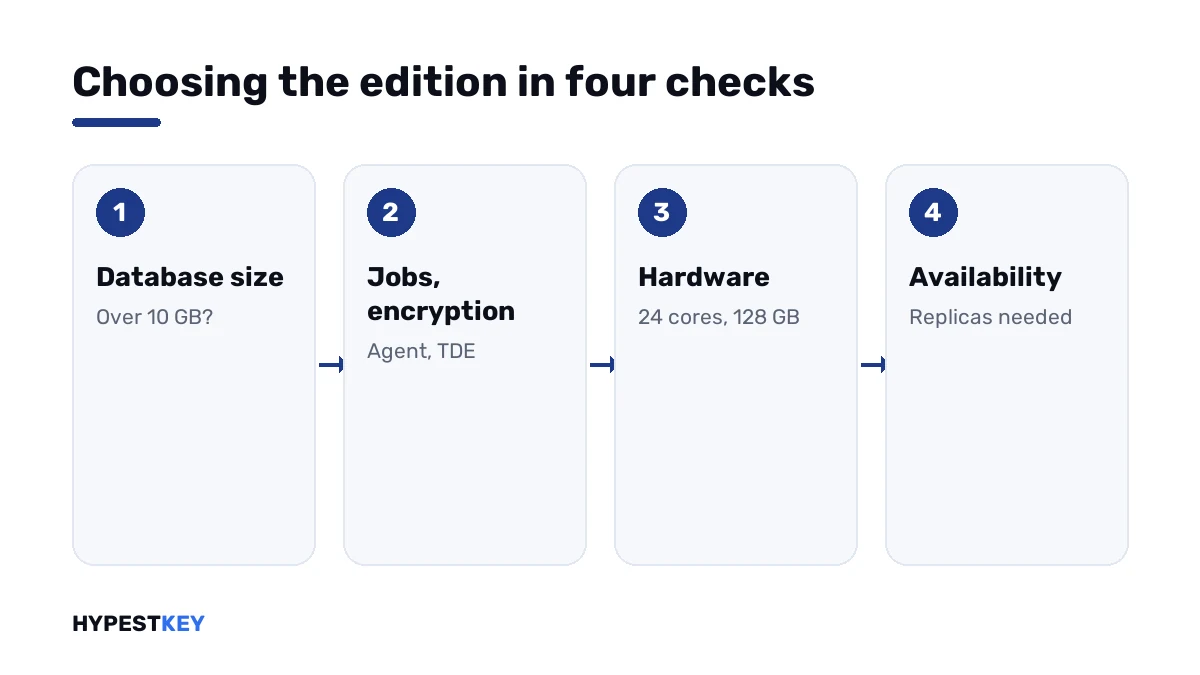
- Check the size of the largest database; above 10 GB, Express is out.
- Check for scheduled jobs, transparent data encryption or backup compression; any of them needs Standard at least.
- Count cores and memory the instance should use; above 24 cores or 128 GB of buffer pool, it’s Enterprise.
- Count the replicas and databases an availability group must hold; more than two replicas or one database means Enterprise.
- Ask whether index rebuilds can wait for a maintenance window; if they can’t, it’s Enterprise.
- If nothing pointed to Enterprise, take Standard.
| Workload | Edition |
|---|---|
| A small app, a test system, a few gigabytes of data | Express |
| Accounting, ERP or CRM for a small or mid-sized company | Standard |
| A web application with a growing database | Standard |
| Reporting with Agent jobs every night | Standard |
| A system that may not stop for maintenance | Enterprise |
| Several readable replicas in two sites | Enterprise |
| Development and testing only | Developer |
Moving up later
Starting small isn’t a trap. Microsoft says Express can be upgraded to the higher editions when more is needed.
The change runs through SQL Server Setup. Under Maintenance there’s Edition Upgrade, which asks for the product key of the target edition. The databases stay where they are.
Going down is the hard direction. A database that uses an Enterprise-only feature won’t restore on Standard, so I’d check for those before planning a move down.
What our key covers
Our SQL Server 2022 Standard key switches on the Standard edition for one server installation. We send it instant to email, with Microsoft’s download link, as a one-time purchase.
Applications certified for an earlier release? We keep a SQL Server 2019 Standard key and a SQL Server 2017 Standard key too. The whole range is under SQL Server keys.
The database needs a system under it. Most of our buyers pair it with a Windows Server 2022 Standard key; the two server editions are compared in Windows Server 2022 Standard vs Datacenter.
Related reading: how CALs work in managing CAL licenses in Windows Server 2022, and backups of the host in Windows Server Backup. License types in general are in retail vs OEM vs volume license.
Mistakes we see most
- Running production on Developer because it has every feature.
- Reading the 10 GB of Express as a limit for the whole server.
- Buying Enterprise for encryption that Standard already has.
- Planning an availability group with three replicas on Standard.
- Forgetting that Express has no Agent, then missing backups.
- Counting server memory instead of buffer pool per instance.
Terms used on this page
| Term | Meaning |
|---|---|
| Instance | One installed copy of the Database Engine; a server can hold several |
| Buffer pool | The memory where SQL Server caches data pages |
| Availability group | A set of databases that fail over together to another replica |
| Failover cluster instance | One instance that can move between cluster nodes |
| SQL Server Agent | The service that runs scheduled jobs |
| TDE | Transparent data encryption: the data files are encrypted on disk |
| CAL | Client access license for a user or a device |
FAQ
What is the difference between SQL Server 2022 Standard, Enterprise and Express?
Limits and features. Express is free, with 10 GB per database and 4 cores. Standard runs up to 24 cores and 128 GB of buffer pool. Enterprise drops those limits, and we'd add its availability groups and online index operations.
Is SQL Server 2022 Express really free?
Yes. Microsoft's pricing page lists Express as a free download. I'd watch its limits: 10 GB per database, 1,410 MB of buffer pool and no SQL Server Agent.
Can I use SQL Server Express in production?
Yes, within its limits. Microsoft describes it for desktop and small server applications. We'd plan backups carefully, because Express has no Agent to schedule them.
Does SQL Server 2022 Standard support Always On availability groups?
Only the basic kind: two replicas and one database per group. Full availability groups with readable secondaries need Enterprise. I'd check that before designing the failover.
Does Standard include transparent data encryption?
Yes. Microsoft's feature table shows it for Standard and Enterprise in SQL Server 2022. Express doesn't have it, and we see that surprise people.
How many cores can SQL Server 2022 Standard use?
The lesser of 4 sockets or 24 cores per instance. The buffer pool stops at 128 GB per instance. I'd compare both numbers with the server before buying Enterprise.
Can I upgrade from Express or Standard later?
Yes. SQL Server Setup has an Edition Upgrade option under Maintenance that takes the new product key. We keep the databases in place during that change.
Is the Developer edition the same as Enterprise?
In features, yes. Microsoft says it includes all the functionality of Enterprise. The license allows development and test only, so I'd never put production data on it.