Short answer: Calculator shortcuts in Windows start with typing: digits and + - * / go straight in. Enter gives the result. Esc clears all, Delete clears the entry, Backspace removes a digit. Alt+1 to Alt+5 switch modes. Ctrl+M stores a number in memory, Ctrl+R recalls it, Ctrl+H shows history. On a Mac, Command-1 to 3 switch modes.
Calculator shortcuts in Windows start with the obvious ones: digits, + – * / and Enter for equals. Esc clears everything, Delete clears the last entry, Backspace removes one digit. Alt+1 to Alt+5 switch modes. The rest of the list, Mac included, is below. We checked it against Microsoft’s own Calculator source.
| Key | What it does in Windows Calculator |
|---|---|
| 0 to 9, + – * / | Digits and the four operations |
| Enter or = | Equals |
| Esc | C, clears the whole calculation |
| Delete | CE, clears only the current entry |
| Backspace | Removes the last digit |
| F9 | Changes the sign, plus to minus |
| R | 1/x, the reciprocal |
| @ | Square root |
| Q | Square, x² |
| % | Percent in Standard mode |
| Ctrl+C, Ctrl+V | Copy the result, paste a number |
Calculator shortcuts for everyday sums
Most people use the number pad and never touch the mouse. That works. Num Lock on, type, Enter.
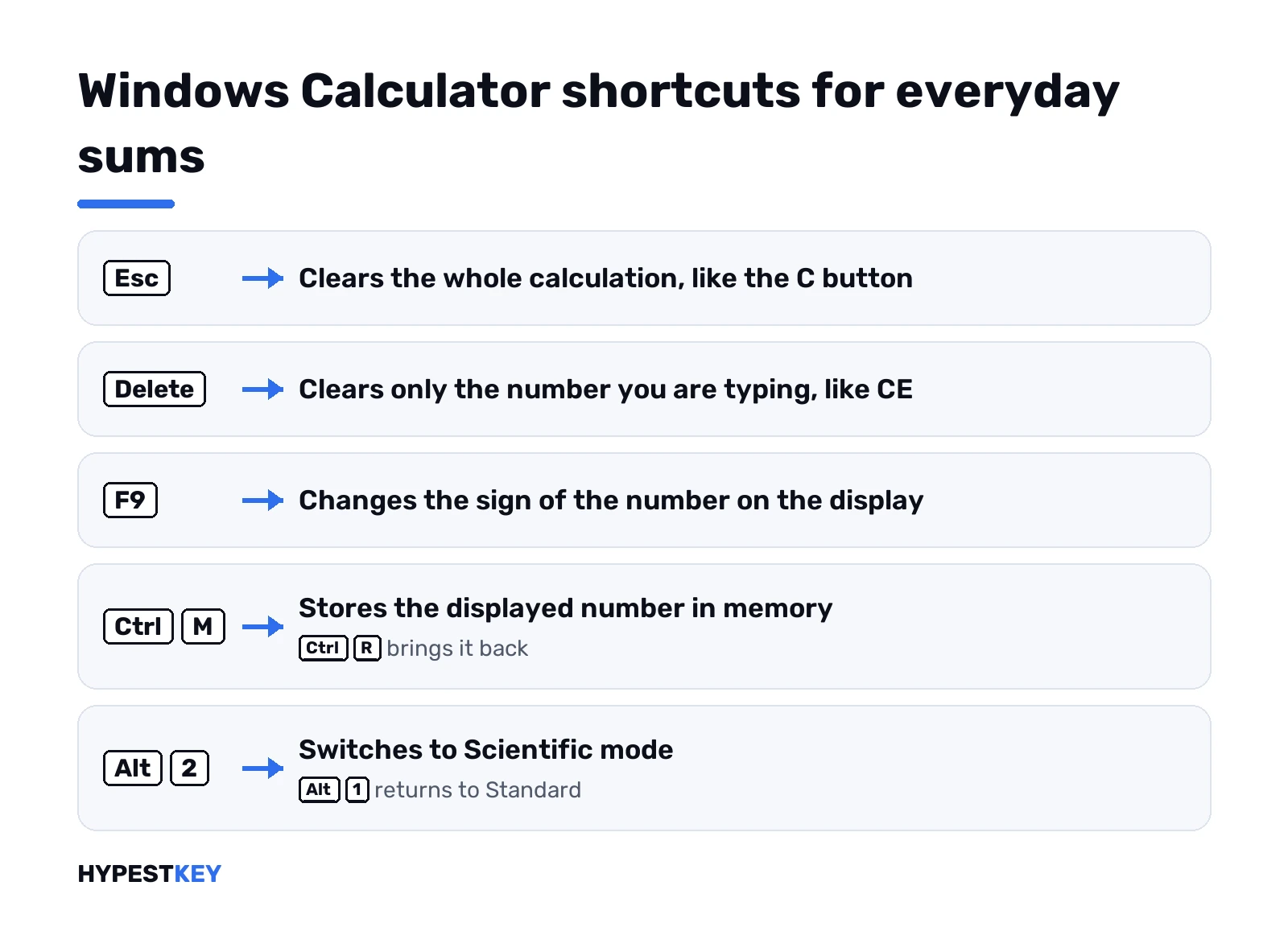
Two keys trip people up. Esc and Delete look alike on the screen buttons, C and CE. Esc wipes the whole sum. Delete only wipes the number you’re typing. So 250 + 180, oops, typed 108? Delete, retype 180, carry on. The 250 stays.
F9 flips the sign. Handy for negative numbers, because the minus key starts a subtraction instead.
Copy and paste also have backups. Ctrl+Insert copies, Shift+Insert pastes.
Symbol keys follow your keyboard layout. On a US layout @ and % need Shift. On other layouts they sit somewhere else, and our guide to keyboard layout settings in Windows 11 shows how to check which one is active.
Memory and history keys
The M buttons are older than most of us. They still save time on long sums.
| Shortcut | Button | What happens |
|---|---|---|
| Ctrl+M | MS | Stores the number on the display |
| Ctrl+R | MR | Brings the stored number back |
| Ctrl+P | M+ | Adds the display to memory |
| Ctrl+Q | M- | Subtracts the display from memory |
| Ctrl+L | MC | Clears memory |
| Ctrl+H | History | Opens or closes the history panel |
| Ctrl+Shift+D | Clear history | Empties the history list |
A receipt with ten lines and a tax total? Type each subtotal, Ctrl+P, next one. Ctrl+R at the end gives the sum. We find it quicker than one long chain with a typo in the middle.
History keeps the finished calculations. Click one and its result comes back to the display.
Switching modes with Alt and a number
Hold Alt, press a digit on the top row:
- Alt+1: Standard.
- Alt+2: Scientific.
- Alt+3: Graphing, where your Calculator has it.
- Alt+4: Programmer.
- Alt+5: Date calculation. Ctrl+E jumps there too.
The unit converters, currency, length, temperature and the rest, have no key of their own. Open the menu at the top left for those.
Scientific mode keys
Alt+2 first. Then most functions sit on a single letter, and Shift or Ctrl changes what it does.
| Key | Function |
|---|---|
| ( and ) | Brackets |
| ^ or Y | x to the power y |
| # | Cube, x³ |
| Ctrl+Y | y-th root of x |
| B | Cube root |
| ! | Factorial |
| P | Pi |
| Shift+E | Euler’s number e |
| L, N | log, ln |
| Shift+L | Log to base y |
| Ctrl+G, Ctrl+N, G | 10 to the x, e to the x, 2 to the x |
| S, O, T | sin, cos, tan |
| Shift+S, Shift+O, Shift+T | Inverse sin, cos, tan |
| Ctrl+S, Ctrl+O, Ctrl+T | Hyperbolic sin, cos, tan |
| U, I, J | sec, csc, cot |
| % | mod |
| | | Absolute value |
| [ and ] | Floor and ceiling |
| Shift+R | Random number |
| M, V, X | Degrees-minutes-seconds, F-E notation, exp |
| F3, F4, F5 | Grad, degrees, radians |
Watch the % key. Standard mode: percent. In Scientific it turns into mod, the remainder of a division. Easy to get a strange answer if you forget which mode you’re in.
Ctrl+Shift with S, O or T gives the inverse hyperbolic versions. We’ve never needed them outside homework, but they’re there.
Angle unit matters for every sin and cos. Wrong answer for sin 30? Press F4 for degrees.
Programmer calculator shortcuts
Alt+4. Here the function keys pick the number base and the word size.
| Key | What it sets |
|---|---|
| F5 | HEX, base 16 |
| F6 | DEC, base 10 |
| F7 | OCT, base 8 |
| F8 | BIN, base 2 |
| F2 | QWORD, 64 bits |
| F3 | DWORD, 32 bits |
| F4 | WORD, 16 bits |
| F12 | BYTE, 8 bits |
| A to F | Hex digits, in HEX only |
| &, |, ~, ^ | AND, OR, NOT, XOR |
| < and > | Shift left, shift right |
Some lists online put the word sizes on F2 to F5. Not in the current app. There F5 is HEX, and BYTE sits on F12.
On a laptop the F keys may need Fn. If F5 does nothing, try Fn+F5. Or flip the Fn lock key, if your keyboard has one.
The whole key list sits in Microsoft’s open-source Windows Calculator repository. That’s where we read it from.
Mac Calculator shortcuts
Different app, different keys. These come from Apple’s Calculator keyboard shortcuts page.
| Shortcut | What it does on a Mac |
|---|---|
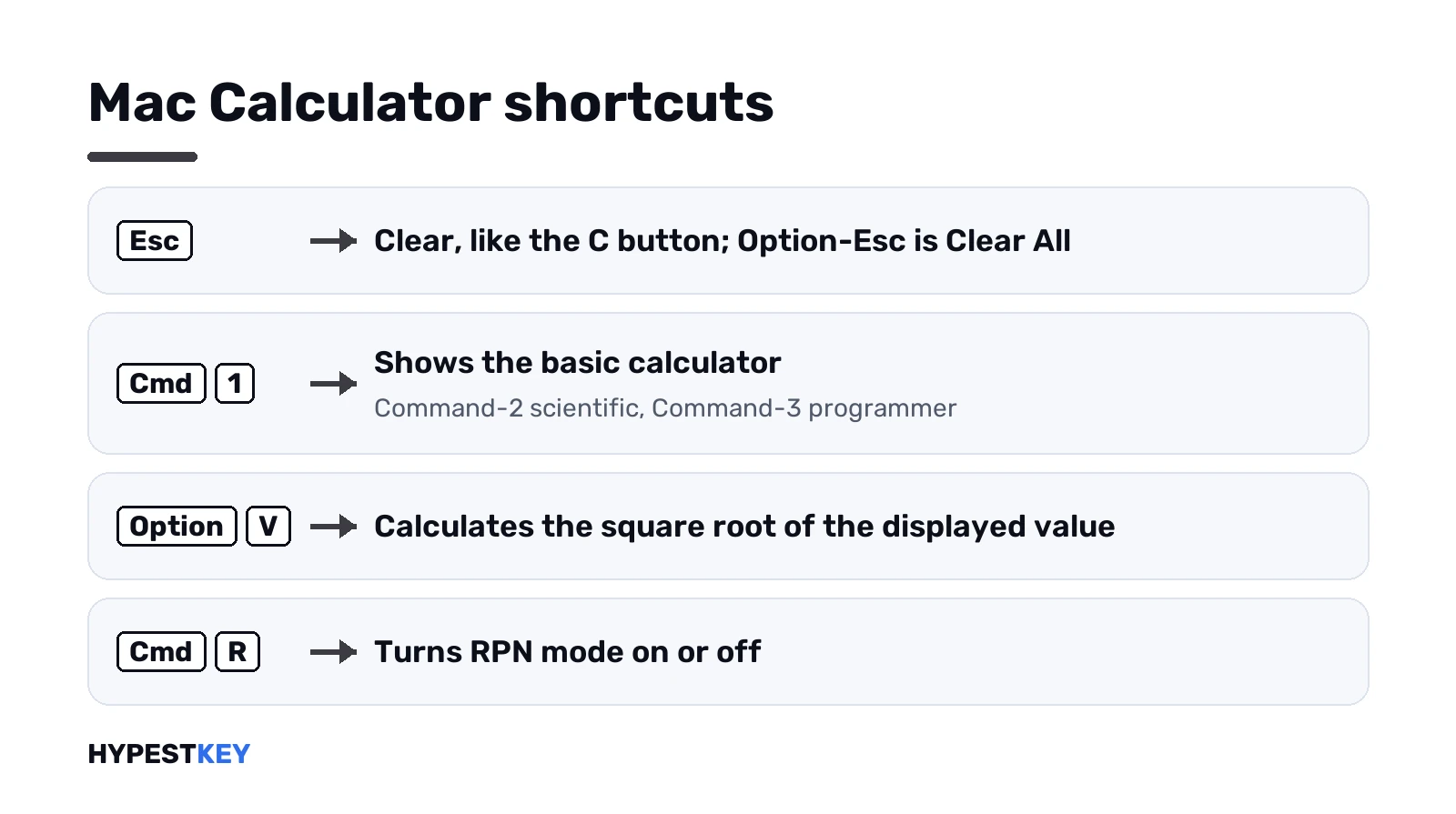
| Esc or C | Clear |
| Option-Esc | Clear All |
| Delete | Removes the last digit |
| Option-Minus | Changes the sign |
| Command-1, 2, 3 | Basic, Scientific, Programmer |
| Option-Command-C | Convert mode |
| Option-Command-M | Math Notes |
| P, ^, ! | Pi, power, factorial |
| Option-V | Square root |
| E, Shift-E | Natural log, exponential notation |
| R | Programmer: cycles octal, decimal, hex |
| Command-R | RPN mode on or off |
Notice the trap for people who use both. Delete on a Mac acts like Backspace on Windows. And E gives ln on a Mac, while on Windows the log key is L.
Apple also says the keys can shift with your language and keyboard layout. The Calculator menus list the current ones next to each command.
Opening Calculator with a key
Fastest way on Windows: the Windows key, type calc, Enter. Or Win+R, then this:
calcMany keyboards also have a Calculator key. One press opens the app. No such key? Pin Calculator to the taskbar. Then Win plus its position number opens it, Win+3 for the third icon.
On a Mac, Command-Space opens Spotlight. Type calc, Return.
Can’t spot the Windows key on a small laptop? Four-pane logo, bottom left. We use the same key in our screenshot shortcuts for Windows.
When the shortcuts do nothing
Most of the time it’s one of these:
- Focus. The key goes to whatever window is active. Click once inside Calculator.
- Wrong mode. F5 is HEX in Programmer, radians in Scientific, nothing in Standard.
- Num Lock off. The number pad moves the cursor instead of typing digits.
- Fn keys. On laptops F1 to F12 often control volume and brightness first.
- Layout. A different keyboard language moves @, # and |. Check it in Windows 11 language settings.
- A dead key. Our online keyboard tester shows whether Windows sees the press at all.
Into keyboards beyond Calculator? The keyboard polling rate test and the typing test are on our free tools page, next to the PC bottleneck calculator. Numbers for a spreadsheet instead? See calculating variance in Excel.
Calculator ships with Windows 11 itself. Setting up a new PC? Our Windows 11 Pro key: a retail license for one PC, instant to email. Home or Pro? We compare them in Windows 11 Home vs Pro.
FAQ
How do I clear the calculator from the keyboard?
Esc clears everything, like the C button. Delete clears only the number you're typing, like CE, and Backspace removes one digit.
What does F9 do in Windows Calculator?
It changes the sign of the number on the display, so 25 becomes minus 25 and back again.
Is there a key for square root?
Yes. On Windows it's the @ key, Shift+2 on a US layout. On a Mac it's Option-V.
How do I switch to scientific mode fast?
Alt+2 on Windows, Command-2 on a Mac. Alt+1 or Command-1 takes you back to the basic view.
Why does % give a weird answer?
You're probably in Scientific mode. There the % key means mod, the remainder of a division, not percent.
Can I open Calculator with one key?
If your keyboard has a Calculator key, yes, one press opens it. Otherwise press the Windows key, type calc and hit Enter.
My F keys don't change the base in Programmer mode?
On most laptops they control volume and brightness first. Hold Fn with the key, or turn on the Fn lock.