Short answer: Windows Server 2022 Standard vs Datacenter: one system, different rights. Standard covers two Windows Server VMs per licensed host. Datacenter covers unlimited VMs and adds Storage Spaces Direct, shielded VM hosting and Network Controller. I'd count the VMs first, then the cores.
Windows Server 2022 Standard vs Datacenter comes down to virtual machines and a short list of infrastructure features. The operating system underneath is the same. We’d count the VMs first.
| Point | Standard | Datacenter |
|---|---|---|
| Windows Server VMs per fully licensed host | 2 | Unlimited |
| Hyper-V isolated containers | 2 | Unlimited |
| Storage Spaces Direct | No | Yes |
| Host Guardian Hyper-V support, for shielded VMs | No | Yes |
| Network Controller, for software-defined networking | No | Yes |
| Storage Replica | One partnership, one resource group, a single 2 TB volume | Unlimited |
| Sockets, cores, memory | Same limits | Same limits |
The rows come from two Microsoft reference pages: Comparison of Windows Server editions and Locks and limits in Windows Server.
What the two editions share
Most of a server’s daily work runs the same on both. Active Directory, DNS, DHCP, file services, IIS, Hyper-V and failover clustering are in each edition.
| Limit | Standard | Datacenter |
|---|---|---|
| Maximum number of users | Based on CALs | Based on CALs |
| 64-bit sockets | 64 | 64 |
| Cores | Unlimited | Unlimited |
| Memory | 4 PB with 5-level paging, 256 TB with 4-level paging | 4 PB with 5-level paging, 256 TB with 4-level paging |
| RDS connections | 65,535 | 65,535 |
| Windows Server containers without Hyper-V isolation | Unlimited | Unlimited |
So Standard isn’t a smaller or slower system. Neither edition caps the hardware below the other.
Both install as Server Core or as Server with Desktop Experience.
Virtual machine rights
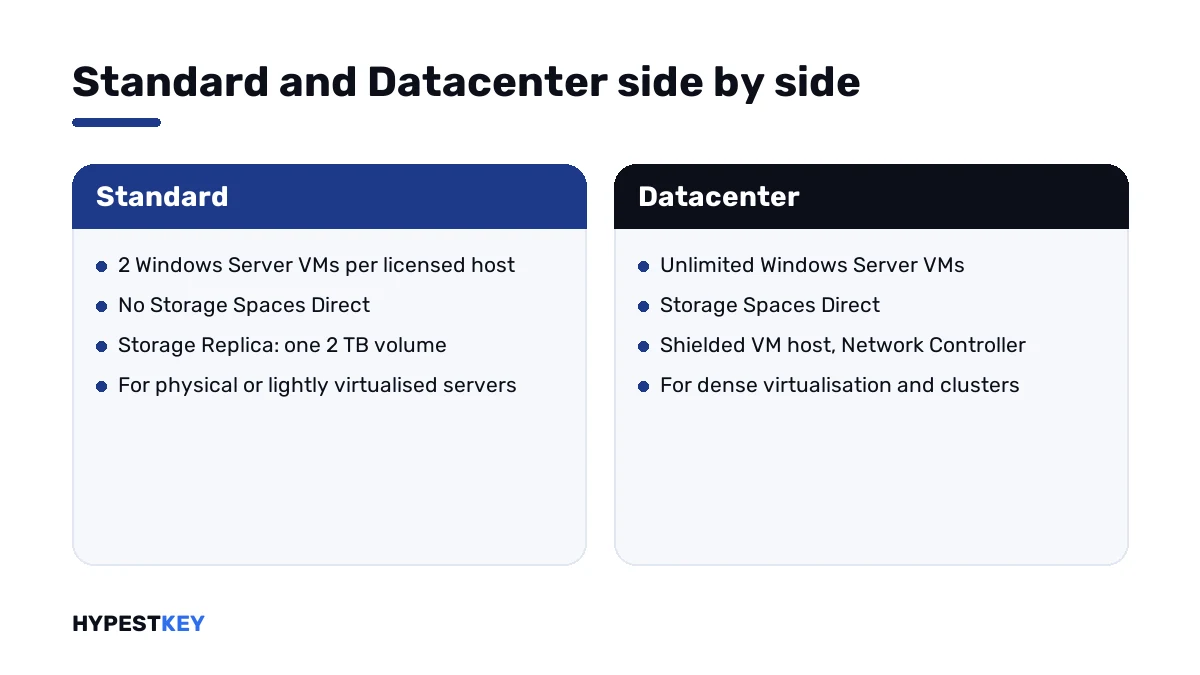
Here the editions part ways. A Standard license covers two Windows Server virtual machines on a host whose cores are all licensed. Datacenter covers any number.
Hyper-V itself doesn’t count anything. It will start a third VM on a Standard host without a warning. The limit lives in the license terms, and we see it missed often.
Microsoft’s licensing guidance adds one condition for Standard. The physical installation may run beside the two VMs only if it does nothing except host and manage them.
Need four VMs on Standard? Then every core gets licensed a second time. Microsoft calls that stacking. Our page on the Windows Server 2022 Standard VM limit walks through the math.
Features only Datacenter has
Microsoft’s edition comparison marks these as missing or limited in Standard.
| Feature | What it does |
|---|---|
| Storage Spaces Direct | Pools the local disks of clustered servers into shared storage |
| Host Guardian Hyper-V support | Lets the host run shielded virtual machines |
| Network Controller | The management point of software-defined networking |
| Storage Replica without limits | Standard replicates one volume of up to 2 TB |
| Automatic Virtual Machine Activation as a host | Guests activate against the host; no key is typed into each VM |
Automatic Virtual Machine Activation works in one direction. A Standard guest can use it, but only on a host activated with Datacenter.
None of this matters for a file server or a domain controller. It matters a great deal for a hyperconverged cluster.
How to choose: Windows Server 2022 Standard vs Datacenter
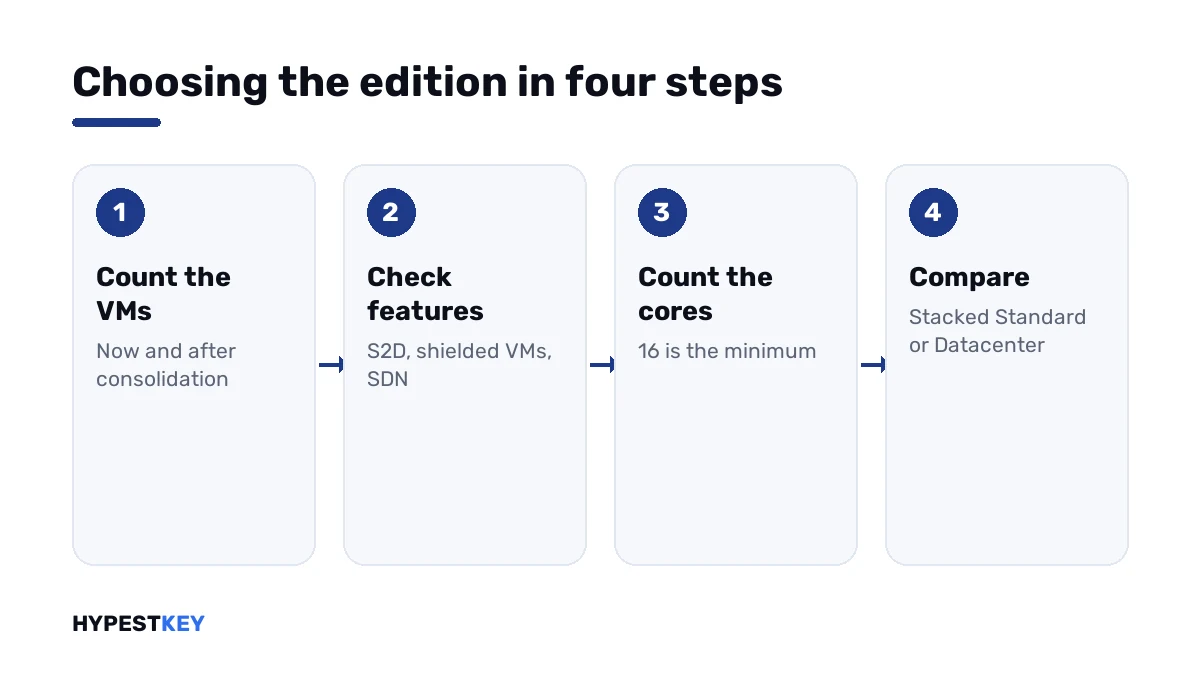
Five steps settle it for most servers.
- Count the Windows Server virtual machines the host will run, now and after planned consolidation.
- Check the feature list above: Storage Spaces Direct, shielded VMs, software-defined networking.
- Count the physical cores of the host and round up to the minimum of 16.
- Work out how many times Standard would have to be stacked for your VM count.
- Compare that with one Datacenter license for the same cores and take the lower total.
| Your server | Edition that fits |
|---|---|
| A physical file, print or domain server | Standard |
| A host with one or two Windows Server VMs | Standard |
| A host with a handful of VMs and no growth planned | Standard, stacked; do the math first |
| A host that keeps taking on VMs | Datacenter |
| A Storage Spaces Direct cluster | Datacenter |
| Shielded VMs or a Network Controller | Datacenter |
Linux guests don’t use up the two Standard VMs. The rights count Windows Server instances only.
Core licensing in both editions
Both editions are licensed by physical core, with the same minimums.
| Rule | Value |
|---|---|
| Minimum per server | 16 core licenses |
| Minimum per processor | 8 core licenses |
| Pack sizes | 2 cores and 16 cores |
| Coverage | Every physical core in the server has to be licensed |
| Host | Core licenses needed |
|---|---|
| One processor, 8 cores | 16 |
| Two processors, 8 cores each | 16 |
| Two processors, 10 cores each | 20 |
| Four processors, 10 cores each | 40 |
The examples are from Microsoft’s core-based licensing guidance.
The counting is identical for the two editions. What a licensed core buys you is where they differ.
CALs are the same for both
Neither edition includes client access licenses. Each user or device that reaches the server needs a Windows Server CAL, on Standard and on Datacenter alike.
Remote Desktop sessions need RDS CALs on top. We compare the two kinds in RDS CAL Per User vs Per Device.
The basics are in our guide to managing CAL licenses in Windows Server 2022. The packs themselves are under Windows Server CALs.
Converting Standard to Datacenter
You don’t have to reinstall to move up. Microsoft documents the conversion in Convert Windows Server editions and license types.
DISM /online /Get-CurrentEdition
DISM /online /Get-TargetEditions
DISM /online /Set-Edition:ServerDatacenter /ProductKey:XXXXX-XXXXX-XXXXX-XXXXX-XXXXX /AcceptEula
Run the three lines in a Command Prompt opened as administrator. The first shows the current edition, the second lists what it can become, the third converts.
Microsoft’s page describes this one direction. It has no procedure for going from Datacenter down to Standard, so we’d plan a fresh install for that.
An evaluation copy converts in a similar way: see converting Windows Server 2022 evaluation to Standard. More on the tool is in activating Windows Server via DISM.
Where Azure Edition fits
Microsoft lists a third edition, Datacenter: Azure Edition. It runs as a virtual machine in Azure or on Azure Stack HCI, not on ordinary hardware.
In the 2022 release, Hotpatching and SMB over QUIC belong to that edition alone. Listings that credit them to plain Datacenter are wrong for 2022.
Windows Server 2025 changed this. SMB over QUIC is in every 2025 edition, and Hotpatching reaches Standard and Datacenter through Azure Arc.
Release by release, the changes are in our comparison of the three current releases.
What our keys cover
Our Windows Server 2022 Standard key licenses one server with up to 16 physical cores. Two Windows Server VMs on that host are included.
The Windows Server 2022 Datacenter key licenses one server as well, with unlimited Windows Server guests on it.
Both are genuine retail keys and arrive instant to email. A host with more than 16 cores? Write to us before you order and we’ll go through the count with you.
Planning a new build? There are Windows Server 2025 Standard and Windows Server 2025 Datacenter keys too. For a very small office we also keep a Windows Server 2022 Essentials key. Everything for this release is under Windows Server 2022.
Activation is the same
Either edition activates with its own 25-character key. The steps are in our Windows Server 2022 activation guide.
A key for one edition doesn’t activate the other. Volume setups use different keys again: see Windows Server KMS keys.
New to the server line altogether? Windows vs Windows Server starts one step earlier.
Mistakes we see most
- Running five VMs on one Standard license because Hyper-V allowed it.
- Licensing 12 cores on a 12-core host; the minimum is 16.
- Buying Datacenter for a single file server.
- Expecting Hotpatching from Datacenter 2022 on ordinary hardware.
- Forgetting CALs because “Datacenter is unlimited”.
- Typing a Datacenter key into Standard without the DISM conversion.
Terms used on this page
| Term | Meaning |
|---|---|
| OSE | Operating system environment: one running instance of Windows Server, physical or virtual |
| Stacking | Licensing all cores of a Standard host again for two more VMs |
| Core license | The unit both editions are sold in |
| CAL | Client access license for a user or a device |
| Storage Spaces Direct | Shared storage built from the local disks of clustered servers |
| Shielded VM | A virtual machine protected from the administrators of its host |
| Azure Edition | The Datacenter variant for Azure and Azure Stack HCI |
FAQ
What is the difference between Windows Server 2022 Standard and Datacenter?
Virtual machine rights and a few features. Standard covers two Windows Server VMs per fully licensed host, Datacenter any number. Datacenter alone has Storage Spaces Direct and shielded VM hosting. We'd also check Network Controller if software-defined networking is planned.
How many VMs can I run on Windows Server 2022 Standard?
Two Windows Server VMs per license, once all physical cores of the host are licensed. For two more, we license every core again. Linux guests aren't counted.
Is Datacenter faster than Standard?
No. Both support the same sockets, cores and memory in Microsoft's limits table. The editions differ in rights and features, and I wouldn't expect a speed gain.
Do I need CALs with Windows Server 2022 Datacenter?
Yes. Unlimited refers to virtual machines, not to users. Each user or device that reaches the server needs a CAL, and we'd add RDS CALs for remote sessions.
Can I upgrade Standard to Datacenter without reinstalling?
Yes. Microsoft documents a DISM command with Set-Edition:ServerDatacenter and a Datacenter product key. I'd run Get-TargetEditions first to confirm the path is offered.
How many cores does one license cover?
Microsoft's minimum is 16 core licenses per server and 8 per processor. Our Standard key covers one server with up to 16 physical cores. For bigger hosts we count with you before the order.
Does Windows Server 2022 Datacenter include Hotpatching?
Not the regular edition. In the 2022 release Microsoft lists Hotpatching and SMB over QUIC for Datacenter: Azure Edition only. We'd look at Windows Server 2025 if those two matter.