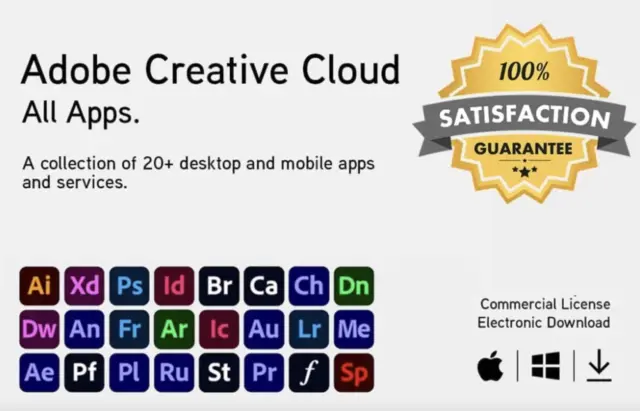






Adobe Creative Cloud All Apps is Adobe’s complete creative plan: Photoshop, Illustrator, Premiere Pro, After Effects, InDesign, Lightroom, Acrobat Pro and the rest of the Creative Cloud desktop and mobile apps, plus 100 GB of cloud storage. This key activates the Adobe Creative Cloud All Apps plan for 3 months on your Adobe account. It suits designers, video editors and photographers who need the full toolset for a project, a semester or a trial run of the paid apps. The code is emailed instantly after payment.
Key takeaways
- 3-month Creative Cloud All Apps term, redeemed on your own Adobe account.
- All Creative Cloud apps plus 100 GB of cloud storage and Adobe Fonts.
- Install on up to two computers, Windows or Mac, used one at a time.
- Global key, delivered by email right after payment.
What’s Included in Adobe Creative Cloud All Apps?
Adobe Creative Cloud All Apps includes Photoshop, Illustrator, Premiere Pro, After Effects, InDesign, Lightroom and Lightroom Classic, Acrobat Pro, Audition, Animate, Dreamweaver, InCopy, Character Animator, Adobe Express, Firefly, Bridge and Media Encoder, with 100 GB of cloud storage and 20,000+ fonts. Adobe lists over 20 desktop and mobile apps in the plan.
This isn’t a lite version. It’s the same software agencies and studios use, with every update Adobe ships during your term.
| App | What it’s for |
|---|---|
| Photoshop | Photo editing, compositing, digital painting |
| Illustrator | Vector graphics, logos, icons |
| Premiere Pro | Video editing and color grading |
| After Effects | Motion graphics and visual effects |
| InDesign | Page layout for print and digital publications |
| Lightroom / Lightroom Classic | Photo organizing and batch editing |
| Acrobat Pro | Creating, editing and signing PDFs |
| Audition | Audio editing, podcasts and voice-over cleanup |
| Animate, Dreamweaver, InCopy | Animation, web pages, editorial workflows |
Adobe also lists XD in the plan, though it no longer develops it actively. In some regions, including North America, Adobe now sells the all-apps plan under the name Creative Cloud Pro.
What Can You Do With the Professional Creative Tools?
Each app covers one craft. Photoshop handles raster images, retouching and compositing; Illustrator produces vector artwork that scales from business cards to billboards; Premiere Pro edits video up to 4K and beyond; After Effects adds motion graphics. Dynamic Link passes work between Premiere Pro and After Effects without exporting.
Photoshop’s Generative Fill, powered by Adobe Firefly, extends backgrounds or removes objects from a text prompt, and it works better than you’d expect. Illustrator’s typography tools are solid. In Premiere Pro, the Lumetri Color panel is genuinely useful for grading footage.
How Do Cloud Storage and Collaboration Work?
The plan includes 100 GB of Creative Cloud storage that syncs files across your computers and mobile devices. Creative Cloud Libraries keep colors, character styles and assets consistent across Photoshop, Illustrator, InDesign and Premiere Pro, and you can share files or libraries with clients and teammates for review.
Start on the desktop, check on a tablet. Adobe Fonts is part of the plan as well: activate a font once and it shows up in every app, licensed for commercial work.
How Long Does the Key Last?
This key gives you 3 months of Creative Cloud All Apps on your Adobe account. The term starts when you redeem the code, not when you buy it. When the three months end, the apps stop working until you add a new code or a plan from Adobe, while your files stay on your own computer.
Already have a Creative Cloud plan? A prepaid code usually extends or runs alongside the existing membership rather than replacing it; Adobe’s account page shows the new end date after you redeem. Check product page for the current price; we keep it competitive.
Adobe Creative Cloud System Requirements
Creative Cloud apps run on 64-bit Windows and on macOS with Intel or Apple silicon processors. Each app has its own minimum operating system, memory and graphics requirements, and the newest releases typically need a recent OS version. You also need internet to redeem the code, install the apps and validate the license from time to time.
| Item | Windows | Mac |
|---|---|---|
| Operating system | 64-bit Windows, recent version | Recent macOS version |
| Processor | 64-bit Intel or AMD | Apple silicon or Intel |
| Memory | 8 GB is a practical floor; 16 GB or more for video | Same as Windows |
| Storage | SSD strongly recommended | SSD strongly recommended |
| Internet | Needed to redeem, install and validate | Same as Windows |
Apple M-series Macs run these apps well. Video editing and 3D work benefit most from extra RAM and fast storage. Building or upgrading a Windows PC for creative work? Our free PC tools include RAM and bottleneck calculators, and a Windows 11 Pro key covers the operating system. Check each app’s exact minimum on Adobe’s system requirements pages before you install.
How Do I Redeem and Activate the Adobe Creative Cloud Key?
Go to adobe.com/go/redeem, sign in with your Adobe account or create one, enter the redemption code from your email and confirm. The 3-month All Apps term is added to that account. Then download the Creative Cloud desktop app, sign in with the same account, and install the apps you need.
- Pay for your order. The code is emailed instantly.
- Open adobe.com/go/redeem in your browser.
- Sign in with your Adobe account, or create one.
- Enter the code and confirm the plan.
- Download and install the Creative Cloud desktop app.
- Install Photoshop, Premiere Pro or any other app from the Apps tab.
The whole process takes about five minutes plus download time. If the redeem page throws an error, try a private browser window or another browser first; that fixes most problems.
Tip: Redeem the code on the Adobe account you’ll keep using. The plan, cloud files and fonts are tied to that account, not to the computer.
Do You Get Updates and New Features?
Yes. As long as the plan is active, you receive every Creative Cloud update at no extra cost: major releases, smaller fixes and new features. The Creative Cloud desktop app installs them, and you can turn on automatic updates. Beta versions of several apps are also available there if you like testing early features.
Delivery and Support
Your Adobe Creative Cloud All Apps code is emailed instantly after payment, with no account needed on HypestKey. If the code won’t redeem, contact support@hypestkey.com or the live chat with your order number and a screenshot; something went wrong? We’ll help you fix it. For questions about using the apps, Adobe’s own chat support and community forums are the right place.
HypestKey is a trusted reseller with genuine keys, best known for Microsoft software. Need Office for the business side of your creative work? Office Home and Business 2024 runs on PC or Mac. Other non-Microsoft products are in Other Software.
Delivery and activation
Visa, Mastercard and other cards, Apple Pay, Google Pay, processed by Stripe. Guest checkout, prices in USD.
Instant delivery to your email: the key is sent automatically as soon as your payment is confirmed. In rare cases (high demand or a fraud check) it can take up to 24 hours.
Check your spam folder first. Still no email? Write to support@hypestkey.com with your order number and we will resend it.
FAQ
How long does this Adobe Creative Cloud key last?
Three months of the All Apps plan, counted from the day you redeem the code on your Adobe account, not from the purchase date.
How do I redeem the Creative Cloud code?
Open adobe.com/go/redeem, sign in with your Adobe account, enter the code and confirm. Then install the Creative Cloud desktop app and download the apps you need.
Can I install Creative Cloud on two computers?
Yes. You can install the apps on two computers, Windows, Mac or one of each, and sign in on both. Only one can be in use at a time.
Which apps are included?
Photoshop, Illustrator, Premiere Pro, After Effects, InDesign, Lightroom, Acrobat Pro, Audition, Animate, Dreamweaver and the rest of the Creative Cloud apps, plus 100 GB of storage and Adobe Fonts.
Can I use it for client work?
Yes. Creative Cloud apps are licensed for commercial work, so you can design for clients and sell what you create.
Do the apps work offline?
Yes, once installed and signed in. The apps need internet from time to time to validate the plan, and cloud features need a connection.
What if the code doesn't redeem?
Try a private window or another browser first. Still failing? Email support@hypestkey.com or use the live chat with your order number and a screenshot, and we'll help you fix it.